

Description
Shoppable videos for WooCommerce, TikTok-style
VidShop brings social-media-style video shopping to your WooCommerce store. Customers swipe through videos, tap a product they like, and check out without leaving the player.
It fits any store that sells visual products: fashion, beauty, electronics, or home décor.
See it on a live store: Interactive Demo
Want more? Upgrade to VidShop Pro
Generate shoppable videos with AI
Don’t have footage? Turn a product photo into a video. Pick a WooCommerce product, choose a style, and VidShop builds a short vertical video from its image, then saves it to your library as a draft linked to that product. You review it and publish when it looks right.
What VidShop does
- Swipe between videos like a social feed, so browsing feels like an app instead of a product grid.
- Buy inside the video. The cart and checkout open right in the player.
- See what’s working: views, watch time, likes, and add-to-carts.
- Built for phones first, and it works on desktop with a mouse.
- No code to set up.
- Runs on the WooCommerce products you already have.
Features
AI video generation
- Turn a product photo into a short vertical video
- Choose a style template, or let Auto match one to the product
- Set the length and pick background music or silent
- Finished videos save to your library as drafts, linked to the product
- A progress banner tracks renders while you keep working
Analytics
- Views, total and unique
- Watch time, average and total
- Likes, total and unique
- Add-to-cart counts
- Product views
- Your top videos and products
Video management
- Publish, draft, or trash a video
- Upload from the Media Library or link a URL
- Link products to each video
- Bulk actions and quick edit
Shortcode generator
- Pick all videos or specific IDs
- Set colors and layout
- Copy and paste into any page or post
- Layouts: grid, carousel, inline (TikTok-style), and stories
Frontend
- Swipeable player
- Tappable product hotspots
- View counts and likes
- Cart and checkout inside the player
- Product variations
- Works on phones and desktops
Products
- Any number of products per video
- Variable products
- Live inventory sync
- One-tap add to cart
Branding
- Colors that match your store
- Responsive layouts
- Works with touch and mouse
Setup in four steps
1. Add your video. Upload it or paste a URL, then set a thumbnail.
2. Connect products. Pick the WooCommerce products to link.
3. Generate a shortcode. Choose which videos to show, the layout, and the colors.
4. Go live. Paste the shortcode anywhere on your site.
Example shortcodes:
[vsfw-videos videos="all" type="grid" color-schema="#1e40af"]

[vsfw-videos videos="123,456,789" type="carousel" color-schema="#e11d48"]

[vsfw-videos videos="all" type="inline" color-schema="#10b981"]

[vsfw-videos videos="all" type="stories" color-schema="#1e40af" autoplay="yes" loop="yes"]
Performance and compatibility
- Lazy loading and caching for speed
- Works with common caching and CDN plugins
- Mobile-first, responsive design
- Clean code with hooks for developers
- Translation-ready
Who it’s for
- Fashion and apparel: show clothes moving on a person
- Beauty and cosmetics: before-and-after and how-to-use clips
- Home and décor: products in a real room
- Electronics and tech: features and unboxing
- Lifestyle products: the kind of thing people buy after seeing it used
Screenshots
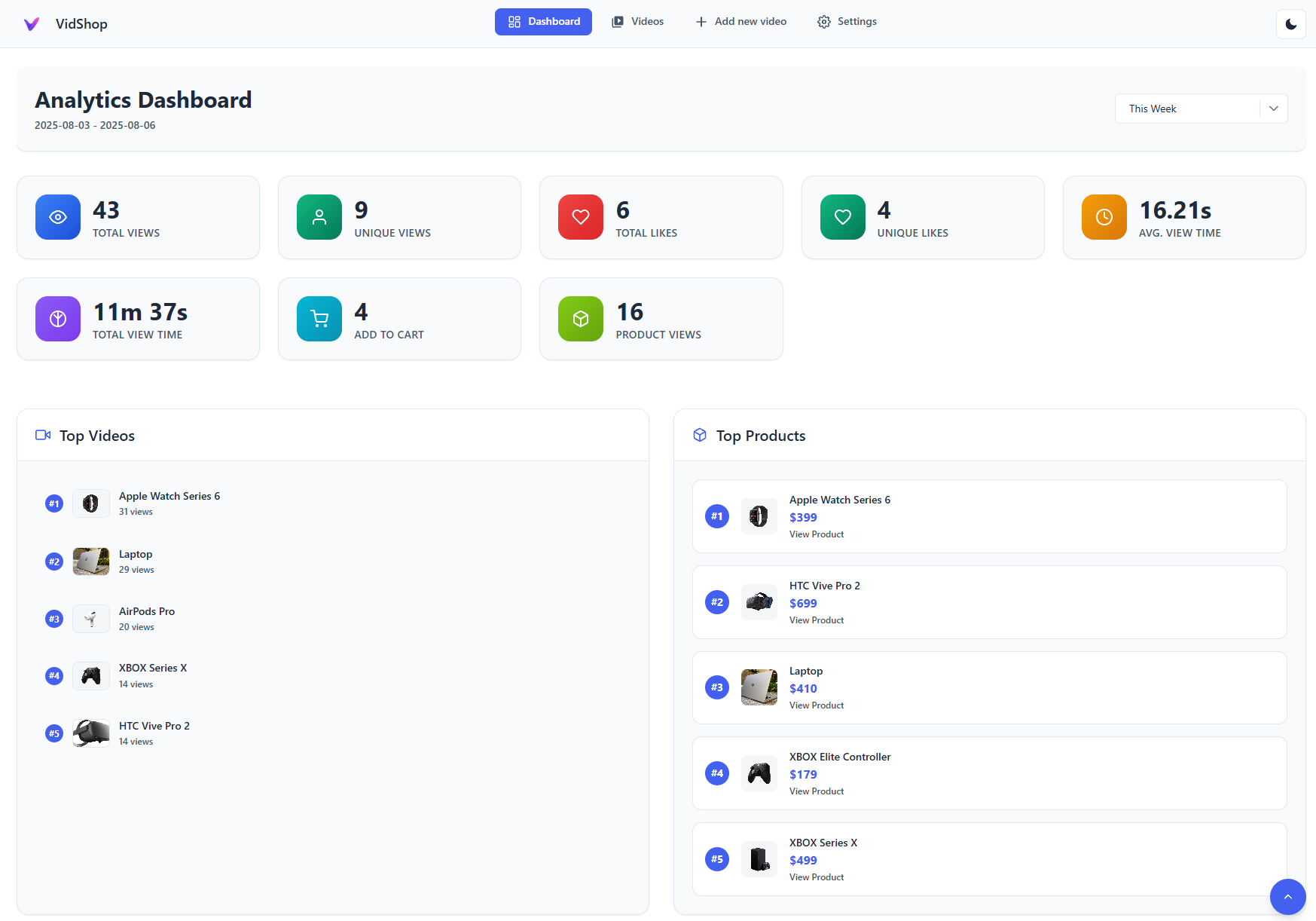
Analytics Dashboard – Gain detailed insights into video performance 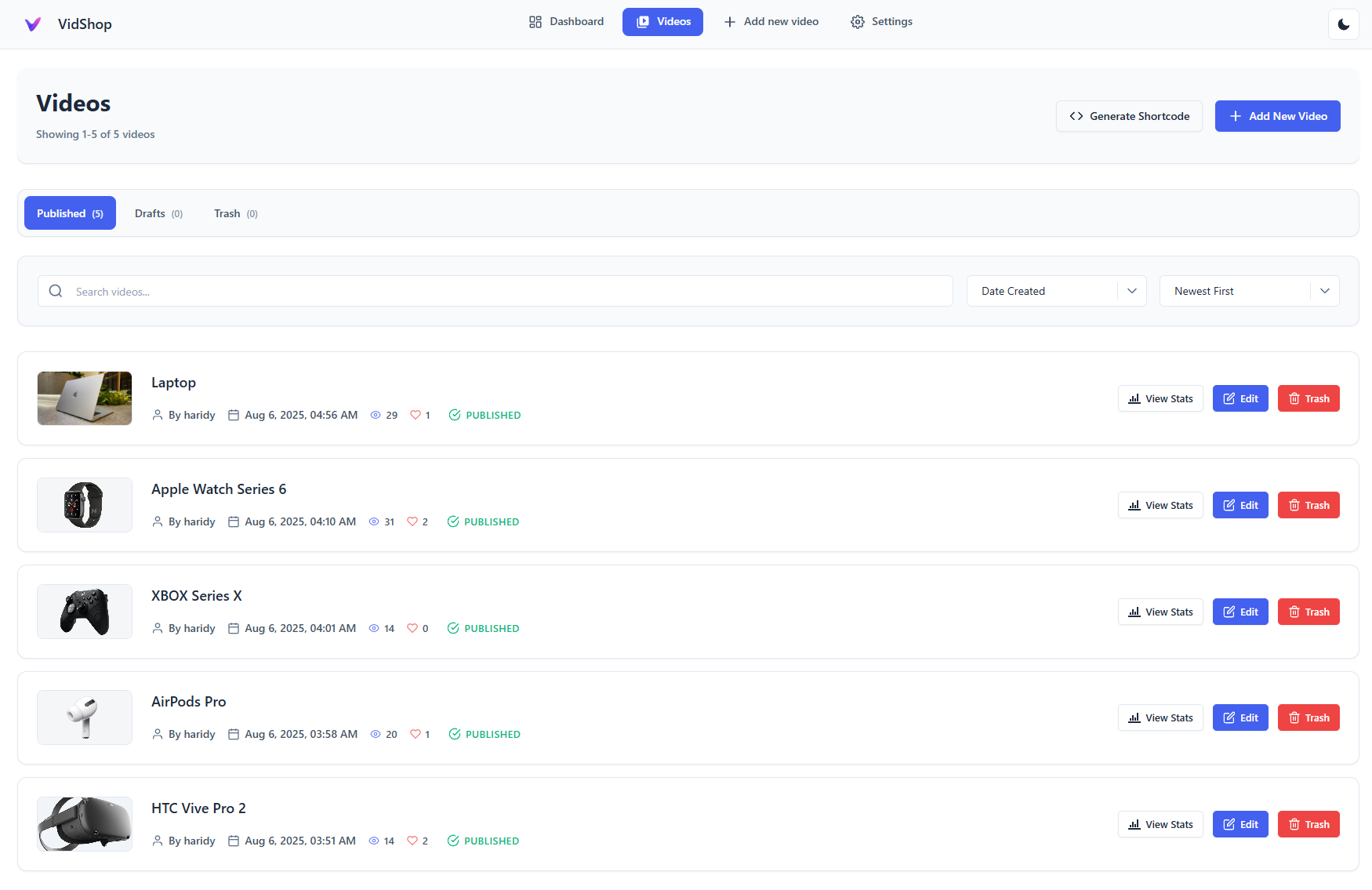
Video Management – Easily manage and edit videos 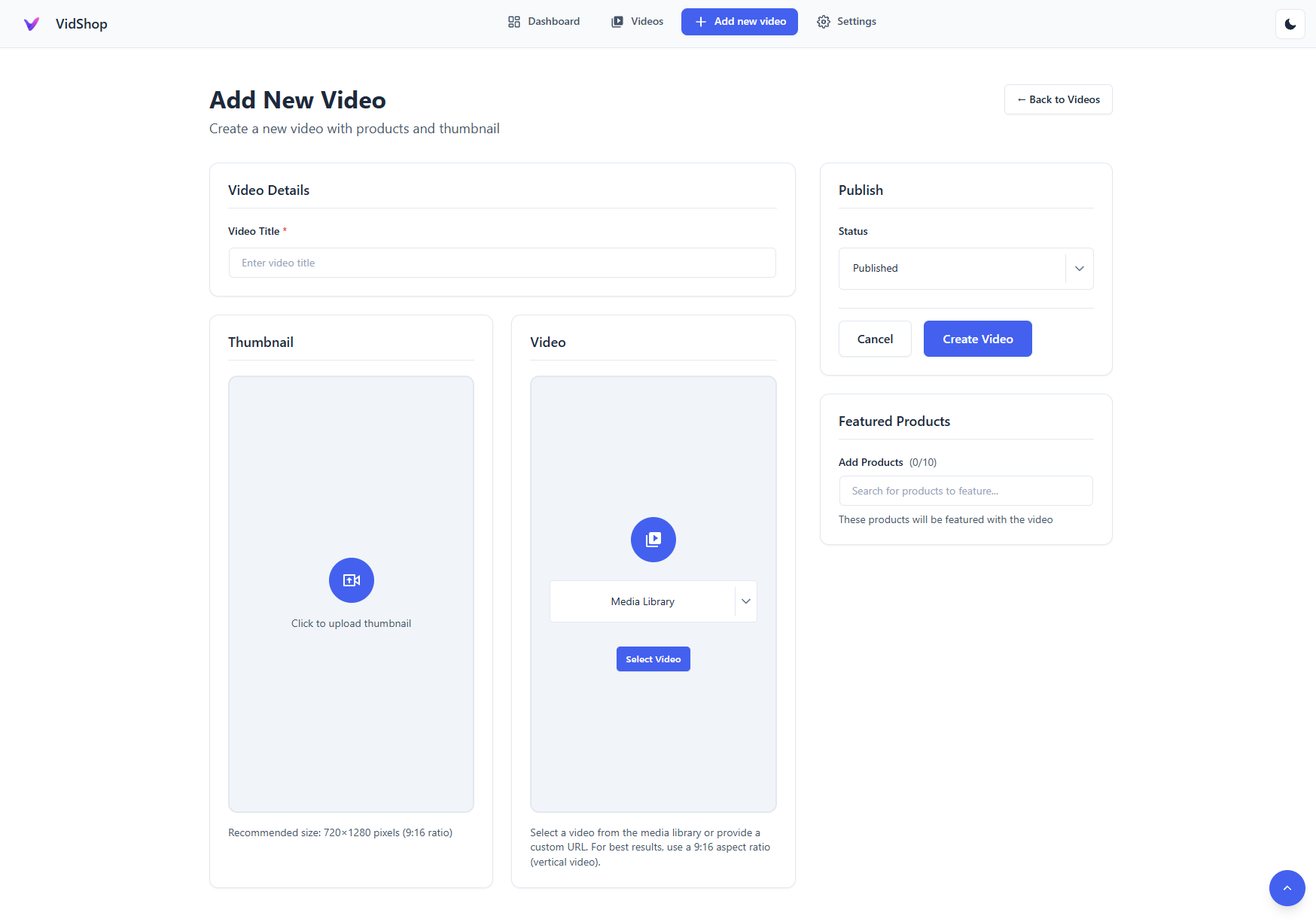
Video Creation Form – Simple and intuitive video setup 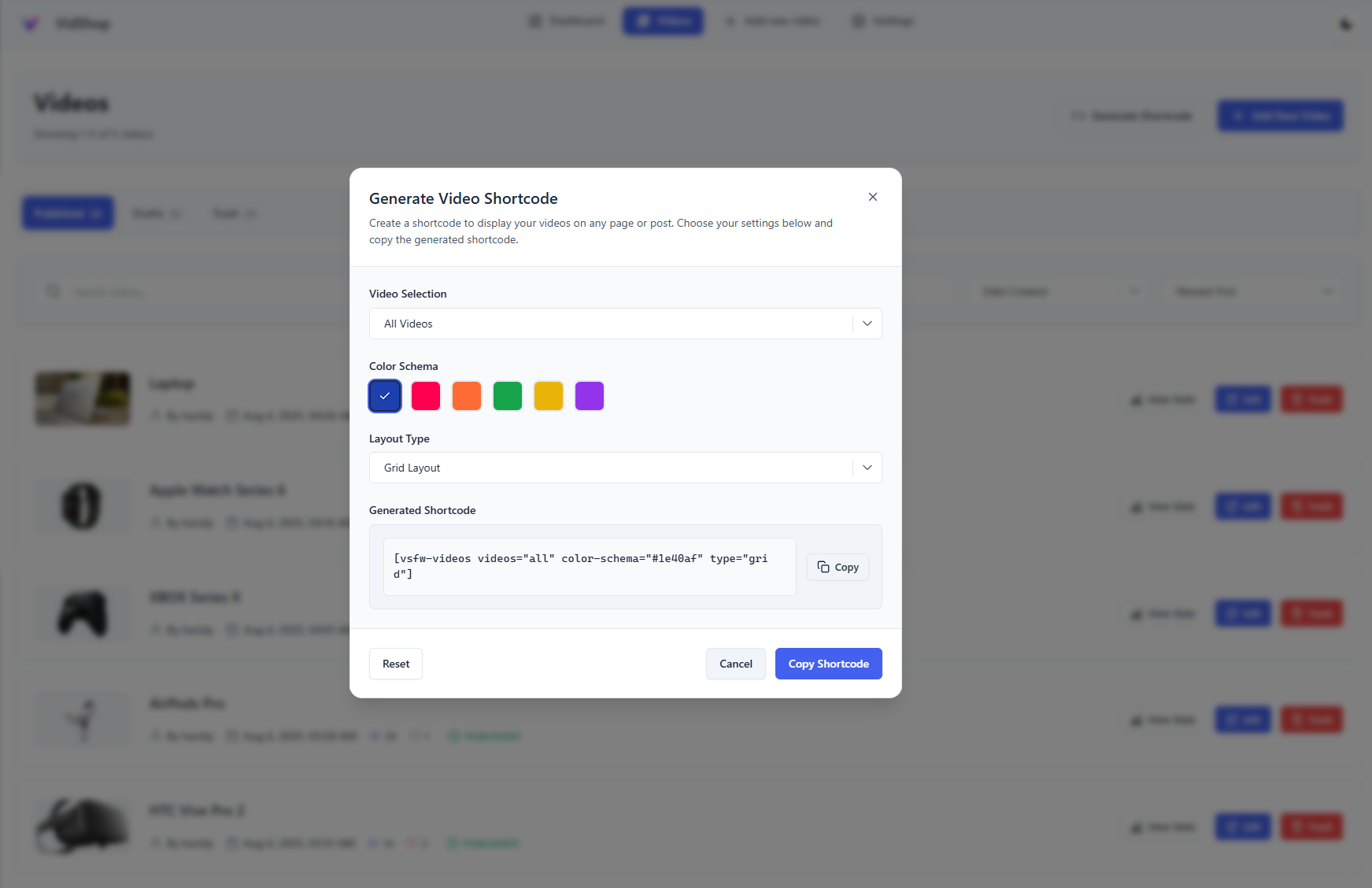
Shortcode Generator – Customize your video presentation 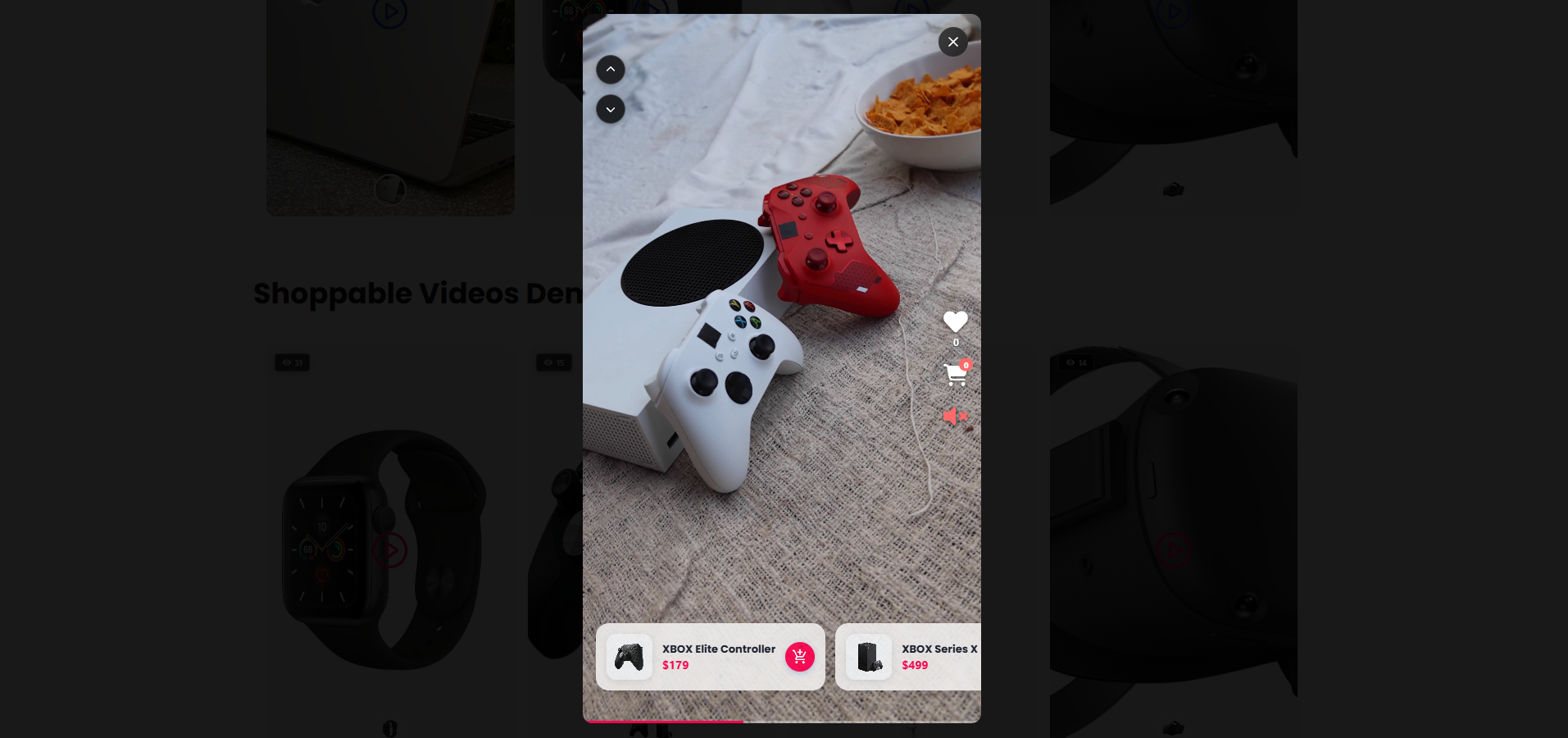
Modern Video Player – Engaging swipe navigation and product integration 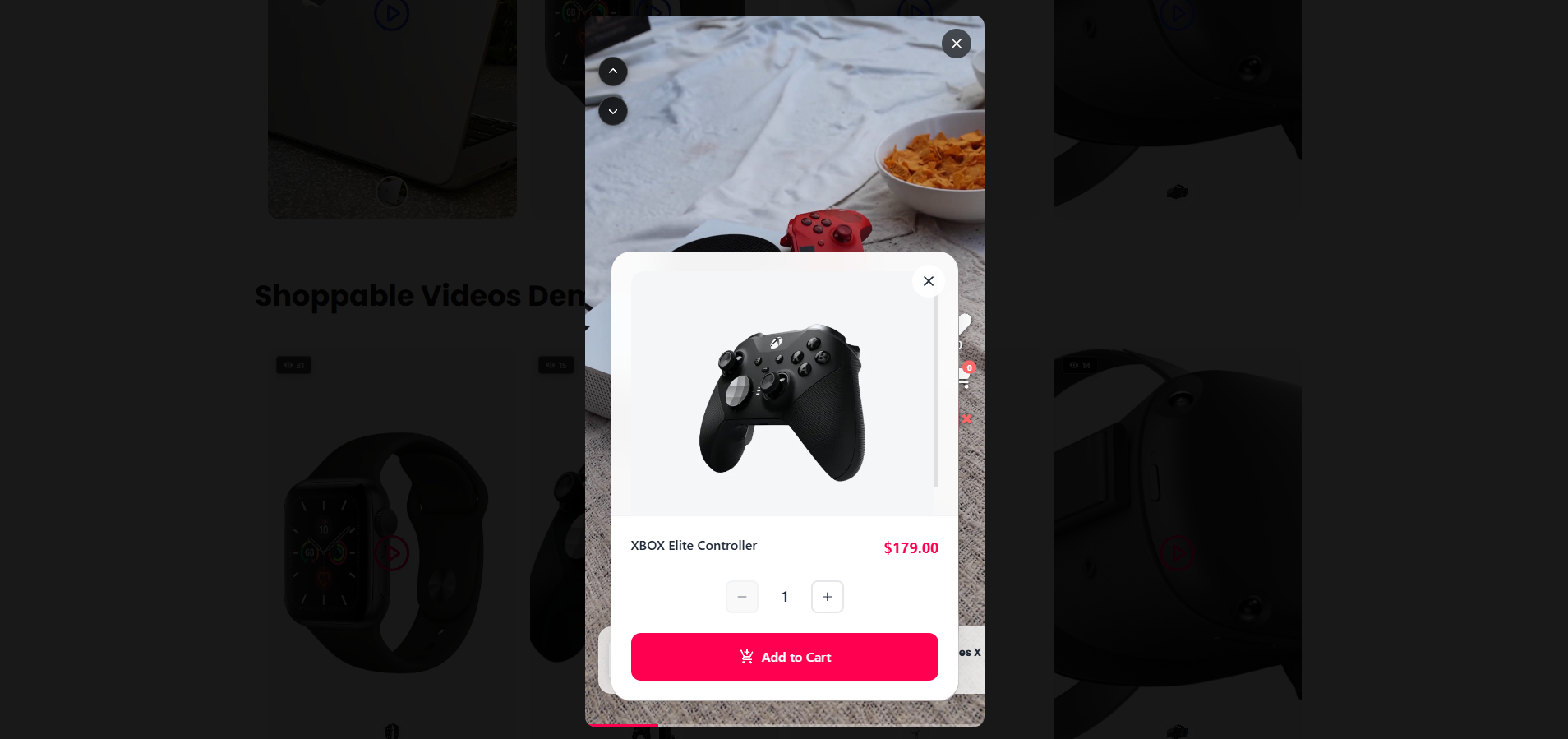
Interactive Product Shopping – Seamless product browsing 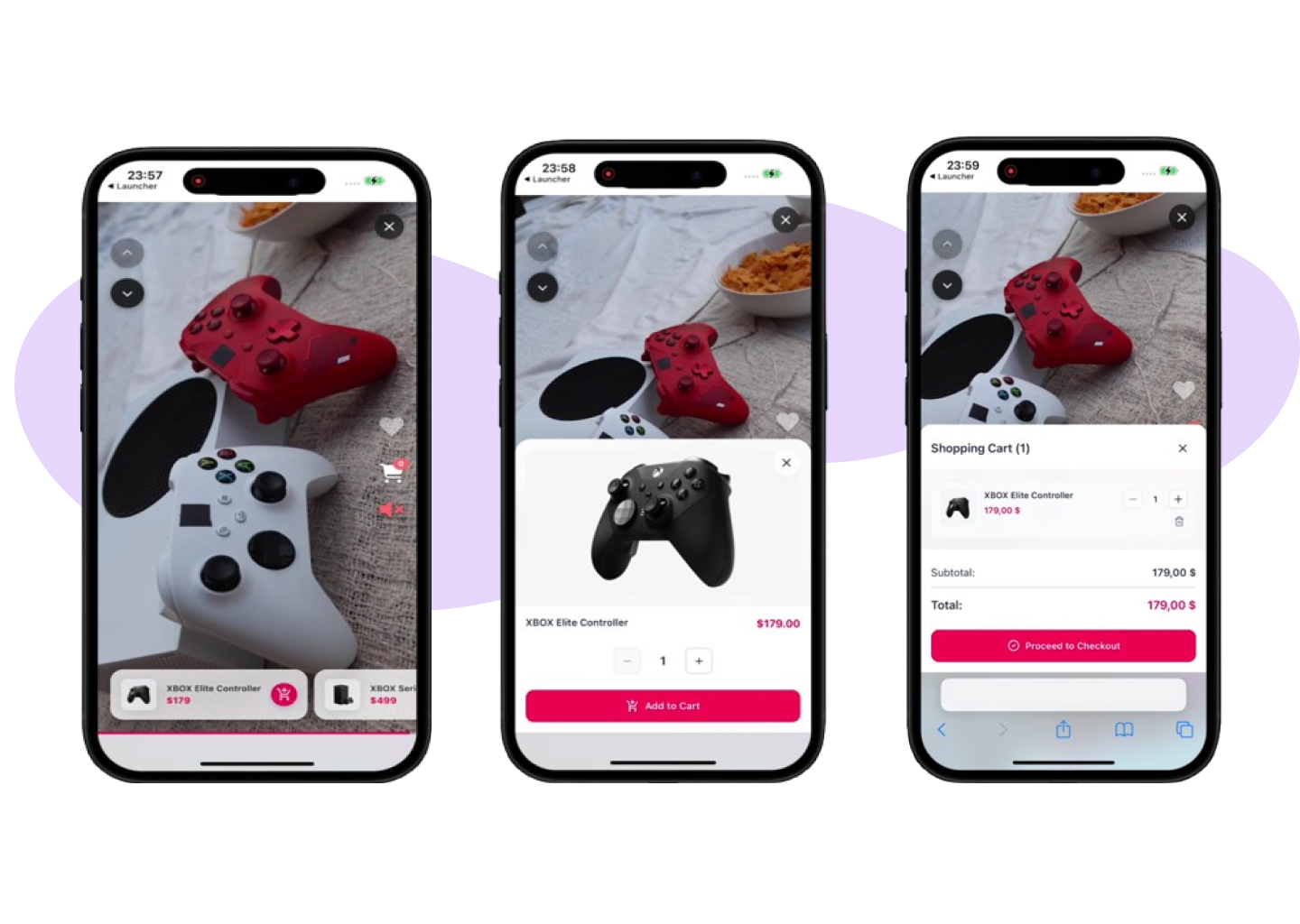
Mobile Experience – Optimized for mobile shopping 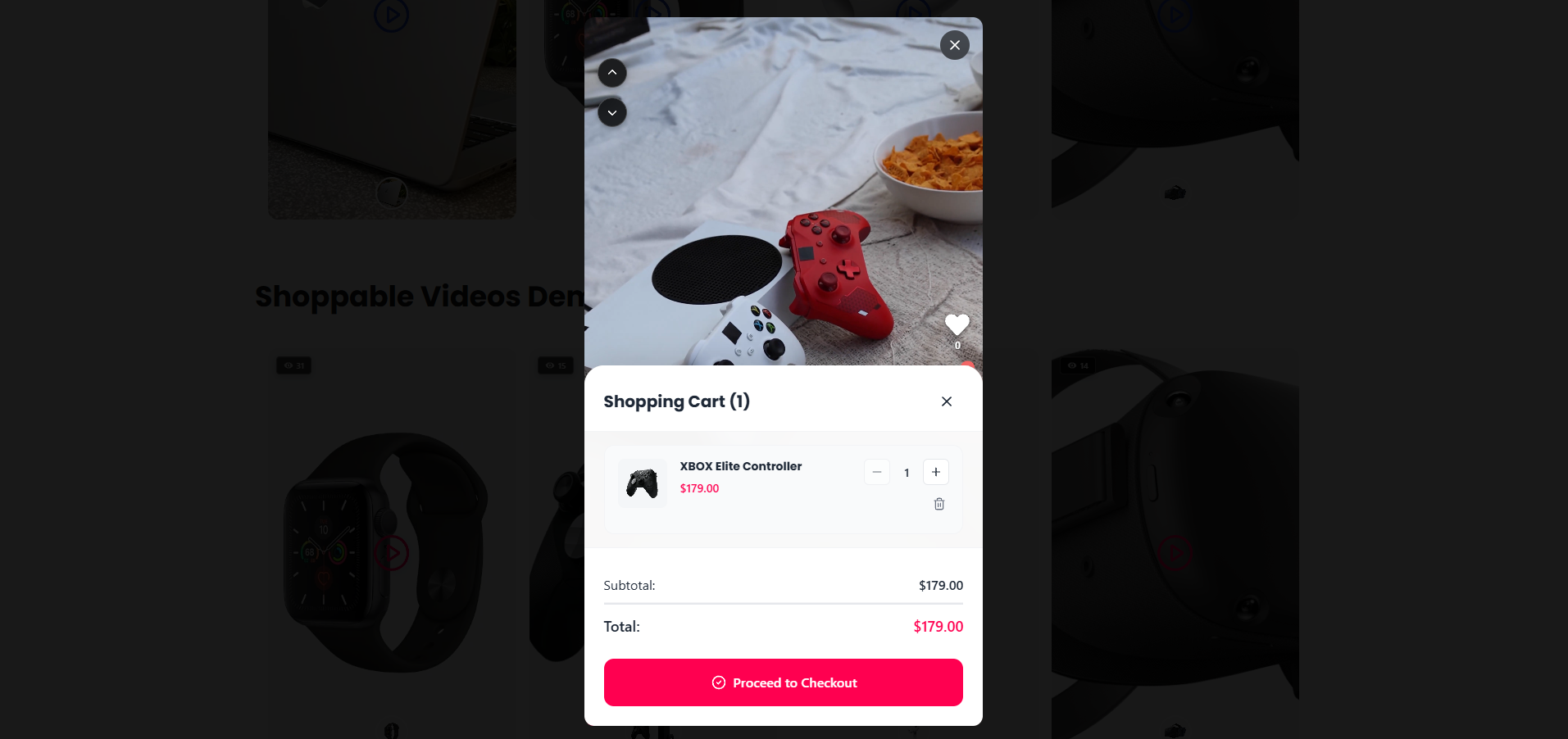
Live Cart & Checkout – Streamlined shopping process
Installation
Quick Setup (Recommended)
- Install from Plugins > Add New (search “VidShop”)
- Activate and verify WooCommerce is active
- Configure basic settings (VidShop > Settings)
- Create your first video via VidShop > Add New
Manual Installation
- Upload the plugin ZIP to
/wp-content/plugins/vidshop-for-woocommerce/ - Activate via Plugins menu
- Configure in VidShop > Settings
FAQ
-
Can VidShop create videos for me with AI?
-
Yes. Connect a free WPCreatix account, pick a product, and VidShop generates a shoppable video from its image. Your first video is free; VidShop Pro covers ongoing generation.
-
Do I need video editing skills?
-
No. Upload videos you already have, link products, and publish. Or let the AI generate one from a product photo.
-
Can people buy without leaving the video?
-
Yes. The cart and checkout open inside the player.
-
Is swiping mobile-only?
-
Swiping is built for touch, but desktop visitors can navigate with the mouse.
-
Does it support variable products?
-
Yes. Customers pick variations inside the video.
-
Where can I show videos?
-
Anywhere shortcodes work: pages, posts, and widgets.
-
Will it slow down my site?
-
It shouldn’t. Videos lazy-load and the assets are kept small.
Reviews


Contributors & Developers
“VidShop – Shoppable Videos for WooCommerce” adalah perisian sumber terbuka. Orang-orang berikut telah menyumbang kepada pemalam ini.
Penyumbang
Translate “VidShop – Shoppable Videos for WooCommerce” into your language.
Berminat dalam pembangunan?
Layari kod, periksa repositori SVN, atau langgani log pembangunan dengan RSS.
Changelog
1.3.0 – AI Shoppable Video Generation
- New: Generate shoppable videos with AI — connect a free WPCreatix account (a free video to try) or VidShop Pro for more, pick a product, and VidShop turns its image into a ready-to-sell shoppable video.
- New: “Generate with AI” lives right where you create videos — on the Videos screen and as an option on Add New Video — plus a one-click entry point in the product editor.
- New: An app-wide progress banner tracks renders in the background and links you straight to each finished video.
- New: Finished AI videos are added to your library automatically, linked to the chosen product, and marked as AI-generated.
1.2.0 – Ordering, Price Formatting, Display Controls & Extensibility Hooks
- New: Added an extensibility layer: third-party add-ons can register PHP
apply_filters/do_actionand JS@wordpress/hooksfilters to extend admin surfaces, REST responses, and shortcodes without modifying plugin code. - New: JS filters for third-party admin UI extensions:
vsfw.admin.pages,vsfw.admin.home.widgets,vsfw.admin.pages.videoStats.body,vsfw.admin.shortcodeModal.generatedShortcode,vsfw.admin.pages.tags.body,vsfw.admin.videoForm.tagsSection,vsfw.admin.videosList.tagsFilter. - New: PHP filters and actions on
/vsfw/v1/videos:vsfw_video_list_query_params,vsfw_video_list_query,vsfw_video_response_data,vsfw_video_list_response,vsfw_video_saved. - New: PHP filters:
vsfw_video_shortcode_parsed_atts,vsfw_tags_filtering_enabled,vsfw_admin_localized_data,vsfw_frontend_localized_data. - New: Shortcode generator now supports drag-and-drop reordering for specific videos.
- New:
orderby(date, title, id, random) andorder(asc, desc) shortcode attributes for “all videos”. - New: Show / hide view count and like count, both as toggles in the shortcode generator and as
show-views/show-likesshortcode attributes. - New: Price formatting now mirrors WooCommerce — currency symbol position, thousands/decimal separators and decimal count are honored everywhere VidShop displays a price (product cards, modals, dashboard analytics).
- New: Price display settings page (VidShop Settings) lets you override WooCommerce’s defaults just for VidShop, with a one-click “Reset to WooCommerce defaults” button.
- New:
tags="..."/tags-operator="OR|AND"shortcode attributes; honored when an add-on plugin enables tag filtering by returningtruefrom thevsfw_tags_filtering_enabledfilter. - Improved: Admin bundle now depends on
wp-hooksso extensions can register JS filters reliably. - Improved: Settings REST endpoint now correctly persists
null-friendly defaults.
1.1.5 – Security Update
- Security: Added whitelist validation for fields parameter
- Security: Added integer sanitization for ids parameter
- Security: Implemented prepared statements for all raw SQL queries
- Security: Added column name validation in Query Builder
1.1.4 – Plugin URI Update
- Updated: Added proper Plugin URI for WordPress.org directory listing
1.1.3 – RTL Carousel Navigation Fix & Translations
- Fixed: Carousel navigation arrows now display correctly in RTL (Right-to-Left) languages – Arrow icons are properly mirrored for Arabic, Hebrew, and other RTL languages
- Improved: Better RTL support for horizontal and stories carousel layouts
- New: Added Arabic (ar) translation – Full plugin translation for Arabic-speaking users
- New: Added German (de_DE) translation – Full plugin translation for German-speaking users
- New: Added Brazilian Portuguese (pt_BR) translation – Full plugin translation for Brazilian Portuguese-speaking users
1.1.2 – WordPress 6.9 Compatibility & Aspect Ratio Fix
- New: WordPress 6.9 compatibility – Fully tested and compatible with the latest WordPress version
- Fixed: Videos Aspect Ratio Issue – Videos in grid and carousel layouts now maintain proper 9:16 aspect ratio on all screen sizes, preventing videos from appearing square on large screens
- Enhanced: Responsive video sizing – Better video proportions on desktop, tablet, and mobile devices with viewport-aware scaling
1.1.1 – Autoplay Fix for Grid and Carousel
- Fixed: Autoplay sequencing now properly advances to next video when current video ends in grid and carousel layouts
1.1.0 – Autoplay, Loop, and Stories Carousel
- New: Stories Carousel layout (stories-style interactive cards in a horizontal carousel)
- New: Autoplay and Loop options for all layouts (Grid, Carousel, Stories, Inline) – Automatically plays videos in sequence when modal is open, with option to restart from first video after the last ends
- New: Modal-aware video behavior – Videos loop on current video when product/cart modal is open, then resume sequencing when closed
- New: Custom URL redirect option for post-add-to-cart action – Redirect to any custom URL after adding product to cart, supports full URLs and relative paths with real-time validation
- New: Stories exclusive audio – Only one video unmuted at a time for better user experience
- New: Play on Hover for Stories (effective when autoplay=”no”)
- New: Auto-open product details for grid/carousel layouts – Automatically opens the first product in the video modal when modal is opened
- Improved: Modal interaction handling – Pauses video when modal opens, resumes on modal close
- Improved: Inline Carousel autoplay with sequenced playback and modal-aware looping behavior
- Improved: Modals render via portals with content scaling using –font-scale
- Improved: Product/cart modals in Stories open only for the current video
- Fixed: Video loading and playback consistency across all layouts
- Performance: Lazy-load current/adjacent slides with next-slide peek
- Performance: Optimized event listeners and state management
1.0.3 – Enhanced Product Interaction & Button Improvements
- New: Add to Cart Action option – Choose between showing product details modal or opening product page in new tab
- Fixed: Button sizing consistency – Improved button appearance across all themes and layouts
- Fixed: Cart modal button styling – Enhanced visual consistency for quantity and close buttons
- Fixed: Video controls button dimensions – Standardized sizing for better touch interaction
- Improved: Product card flexibility – Better control over customer shopping flow
- Enhanced: Theme compatibility – Buttons now maintain proper sizing regardless of theme CSS overrides
1.0.2 – Major Feature Update & Enhanced UX
- New: Carousel layout – Display videos in a beautiful horizontal scrolling carousel
- New: Inline layout (TikTok-style) – Vertical scrolling video feed for social media-like experience
- New: Custom color schema support – Full brand customization with unlimited color options
- New: Responsive customizations – Advanced responsive controls for different screen sizes
- New: Single video analytics – Detailed performance metrics for individual videos
- New: Play on hover option – Videos can automatically play when users hover over them
- Enhanced: Admin dashboard UX – Improved interface with better navigation and user experience
- Improved: Layout flexibility with multiple display options for different use cases
- Optimized: Performance improvements for better loading times across all layouts
1.0.1 – Enhanced Compatibility & User Experience
- Fixed: Dark mode browser compatibility issues – video controls, navigation, and close buttons now display consistently regardless of browser color scheme
- Fixed: Button sizing and padding issues – added protection against theme overrides to ensure consistent button appearance
- Enhanced: Admin interface icons for better visual clarity and user experience
- Improved: Theme compatibility – components now maintain consistent styling across all WordPress themes
1.0.0 – Initial Release
- Professional video management and seamless WooCommerce integration
- Detailed analytics dashboard with video and product insights
- Interactive frontend video shopping with mobile-first design
- Optimized for performance, security, and ease-of-use