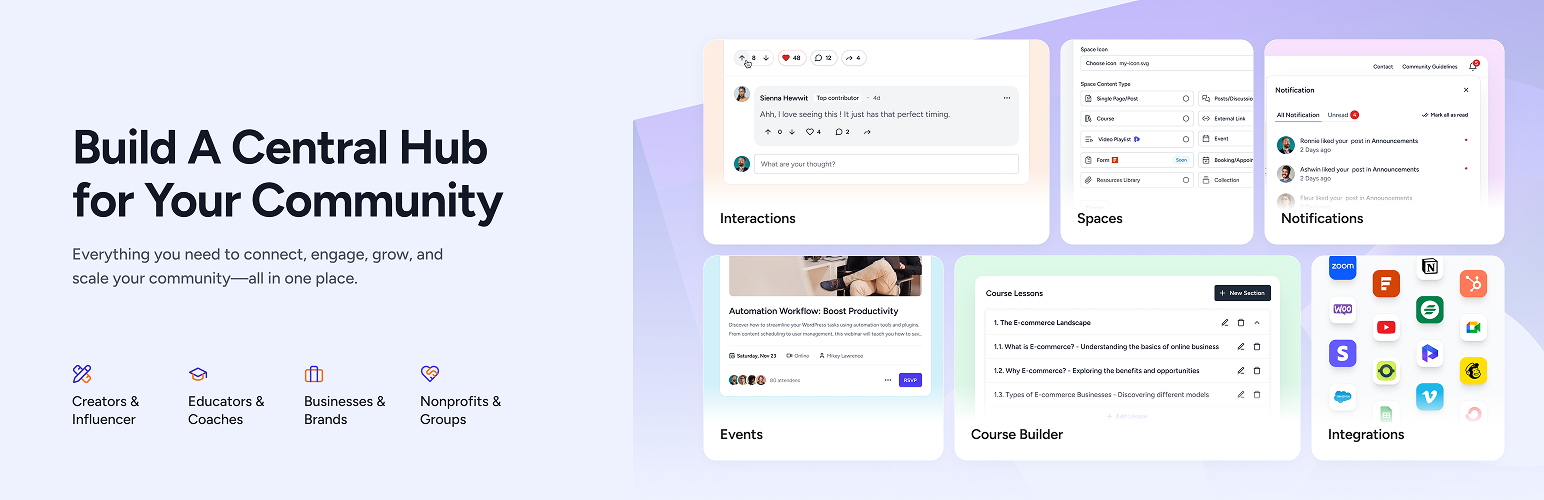

Description
SureDash turns your WordPress site into a full community platform.
No need to send your members to another app. No monthly per-member fees. Everything lives on your site, under your brand, with your data.
Set it up in minutes. Create spaces for discussions, courses, resources, and events. Your members get a clean dashboard, their own profiles, and real-time notifications — all without leaving your website.
Try the live demo — no signup required.
Why SureDash?
Most community tools make you choose: pay monthly fees to a third-party platform, or spend weeks building something custom.
SureDash gives you a third option — a ready-to-go community platform built right into WordPress. You keep full ownership of your content, your members, and your brand.
What You Can Build
Discussion Spaces — Give your members a place to talk, ask questions, and share ideas. Threaded replies, rich text, reactions, bookmarks, and GIF support included.
Online Courses — Build structured courses with sections, lessons, and progress tracking. Members pick up where they left off.
Member Dashboard — A clean, branded home base for your members. They see their spaces, activity, and notifications in one place.
Resource Libraries — Share files, guides, links, and downloads in organized collections.
Events — Schedule and display upcoming events, webinars, and meetups.
User Profiles — Each member gets a profile with a bio, social links, activity history, and badges.
Free Features
- Beautiful member dashboard with light and dark mode
- Multiple portal layouts — Classic, Modern, and Application to match your community style
- Custom login and registration pages (with Google and Facebook sign-in)
- Discussion forums with threaded comments and reactions
- Modern commenting system with rich text, mentions, and reactions
- Multiple spaces to organize your community
- User profiles with social links and activity feeds
- Badges to reward active members
- Real-time notifications
- Giphy integration
- List and grid view layouts
- Sorting and filtering options
- Visual customizer — match your brand colors and style
- Built-in analytics — track registered users over time, recent activities, and top-performing content
- Mobile-friendly responsive design
- Works with any WordPress theme
- One-click AI portal creation: describe your community and let AI build the portal, or start from a ready-made preset
- AI assistant support through the WordPress Abilities API and MCP, so assistants can create spaces, publish content, and read your analytics
- WP-CLI command to switch the AI abilities on (
wp suredash abilities enable) - Portal Pages space type: show profile, bookmarks, leaderboard, and membership pages as spaces
- Space Sidebar for quick access to the sections inside a space
- Portal Layout template, so your regular pages and posts match the portal
- Community search with results grouped by type
- Custom URL slugs for portal endpoints
- Unread post counts on discussion spaces
- Email alerts for admins and portal managers when a member creates a post
SureDash Pro
Take your community further:
- Course Builder — Create full courses with sections, lessons, and progress tracking
- Member-Created Posts — Let your members start discussions, not just comment
- Private Spaces — Restrict spaces to specific members or groups
- Resource Library — Organize and share files, documents, and links
- Events — Schedule events and display them beautifully
- Member Directory — Let members browse, search, and connect with each other from one place
- Collection Space — Group and display multiple spaces together for easier navigation
- Email Notifications — Keep members engaged with automatic email updates
- Leaderboard — Gamify your community with points, levels, and member rankings
- Course Quizzes: Add quizzes to your course content and let members take them as part of the lesson flow
- Course Analytics: See how each course performs and how far your members have progressed
- LearnDash Migration: Bring existing LearnDash courses, lessons, and quizzes into SureDash
- Cloud Storage for Resources: Serve resource library files through Bunny.net’s global CDN with secure, signed download links
- Richer Events: End date and time, an event host, in-person or online locations, and Add to Calendar for Google, Outlook, and Apple
- Targeted Posts: Show a post only to chosen members or SureMembers access groups
- Collection Pricing: Tag the spaces in a collection as Free or Paid, with a Buy Now button for visitors who do not have access yet
- Priority Support: Get help directly from our team
Works Great With
SureDash is part of a powerful WordPress ecosystem:
- SureMembers — Protect content, create membership tiers, and control who sees what. Assign new registrations to access groups automatically.
- SureCart — Sell memberships, courses, and digital products. SureDash integrates directly with your SureCart store.
- Astra Theme — The most popular WordPress theme, fully compatible with SureDash layouts.
- OttoKit: Automate your portal by triggering actions when members join, post, or complete a course.
Each works independently, but together they give you a complete membership and community business — all on WordPress.
Perfect For
- Coaches and educators building a learning community
- Creators who want to own their audience (not rent it)
- Membership sites that need a member-facing dashboard
- Businesses building a customer community or support hub
- Anyone moving away from expensive monthly community platforms
Links
Blocks
This plugin provides 11 blocks.
- Portal: Color Switcher Switch between light and dark color palettes.
- Portal: Space Title Display portal title.
- Portal: Home Display entire community portal.
- Portal: Profile Display portal profile.
- Portal: Identity Display portal identity.
- Portal: Dynamic Icons Display customizable dynamic icons for portal navigation.
- Portal: Search Display portal search.
- Portal: Navigation Display aside portal navigation.
- Portal: Notification Display portal notification.
- Portal: Content Display portal content.
- Portal: Dynamic Icon Display an icon linking to a social profile or site.
Installation
- Go to Plugins > Add New in your WordPress dashboard
- Search for SureDash
- Click Install Now, then Activate
- Follow the setup wizard — your community is ready in minutes
Or upload the plugin zip file via Plugins > Add New > Upload Plugin.
FAQ
-
Do I need any coding skills?
-
Not at all. SureDash works out of the box. Install it, follow the setup wizard, and your community is ready. Everything is point-and-click.
-
Will it work with my theme?
-
Yes. SureDash is designed to work with any standard WordPress theme. It works especially well with Astra, Kadence, and other popular themes.
-
Can members create their own posts?
-
In the free version, admins create posts and members can comment. With SureDash Pro, you can let members create posts too.
-
Is my data safe?
-
Your data stays on your WordPress site. Unlike third-party platforms, you own everything — your content, your member data, your community. Nothing is stored on external servers.
-
Can I restrict access to certain spaces?
-
Yes. With SureDash Pro and SureMembers, you can create membership tiers and control exactly who has access to which spaces.
-
Yes. Google and Facebook sign-in are included in the free version.
-
How can I report a security bug?
-
We take plugin security seriously. Report vulnerabilities through our Bug Bounty Program.
Reviews


Contributors & Developers
“SureDash – Community, Courses & Member Dashboard” adalah perisian sumber terbuka. Orang-orang berikut telah menyumbang kepada pemalam ini.
Penyumbang
“SureDash – Community, Courses & Member Dashboard” telah diterjemahkan ke dalam 1 penempatan. Terima kasih kepada para penterjemah untuk terjemahan mereka.
Translate “SureDash – Community, Courses & Member Dashboard” into your language.
Berminat dalam pembangunan?
Layari kod, periksa repositori SVN, atau langgani log pembangunan dengan RSS.
Changelog
2026-08-31 – version 1.11.2
- New: Collections can now show Free and price tags on the spaces they list, with a Buy Now button for visitors who do not have access yet. Needs the SureDash Pro addon and SureMembers.
- Improvement: Added a filter to control whether replies are open on discussions submitted from the front end, so replies can be kept working in SureDash without enabling comments across the whole site.
- Fix: Lesson, event, and resource pages now show the full list of comments instead of only the first two.
2026-08-19 – version 1.11.1
- Improvement: Strengthened validation across the WordPress Abilities (MCP) integration, so incomplete or mismatched requests are rejected with a clear explanation instead of being saved in a broken state.
- Improvement: Improved the accuracy of the space and group information reported to the AI assistant, including spaces that are not assigned to any group.
- Fix: Content created through the AI assistant now saves completely and can be edited afterwards.
- Fix: Submitting a post, saving your profile, or registering now shows an error and lets you retry when the request is blocked by a firewall or the network drops, instead of failing silently.
2026-08-11 – version 1.11.0
- New: Added a “What’s New” popup in the admin dashboard that highlights the latest features and improvements after an update.
- Fix: Emojis added in the admin editors are no longer converted to images, so they are preserved correctly in email content.
2026-08-03 – version 1.10.4
- Fix: This update addressed a security bug. Props to Wordfence for reporting it responsibly to our team. Please make sure you are using the latest version on your website.
2026-07-29 – version 1.10.3
- Improvement: On mobile, the bottom bar notification bell now opens your notifications in a popup right above the bar instead of loading a separate page, matching the in-place Search and Post overlays. The active bottom bar tab is also highlighted.
- Improvement: Polished the onboarding flow with interface and behavior refinements and updated starter space templates.
- Fix: Fixed errors that could occur when liking a post or adding a comment.
- Fix: Fixed plural labels for lessons, quizzes, threads, and modules so their spacing and wording stay correct in translated languages.
2026-07-27 – version 1.10.2
- Fix: This update addressed a security bug. Props to Patchstack for reporting it responsibly to our team. Please make sure you are using the latest version on your website.
2026-07-20 – version 1.10.1
- Fix: This update addressed a security bug. Props to Wordfence for reporting it responsibly to our team. Please make sure you are using the latest version on your website.
2026-07-14 – version 1.10.0
- New: SureDash now fully supports SureMembers “Exceptions” (excluded content). When you exclude a specific lesson, event, resource, or discussion from an access group, it now stays open to everyone — even when a broader portal-wide or content-type restriction applies — exactly as SureMembers behaves across the rest of your site.
- Improvement: Reworked how SureDash enforces SureMembers restrictions across every community space, listing, and piece of sub-content. Restricted items now appear as locked cards with an informative access modal, and access is re-checked accurately in each context.
- Improvement: Tightened access controls so notification emails and community listings evaluate each recipient’s SureMembers access individually, keeping restricted post titles and excerpts limited to members who are allowed to see them.
- Improvement: The user picker in widget settings now supports type-ahead search, making it faster to find and select members.
- Fix: The member “since” date now follows your site’s configured date format and locale instead of a fixed format.
- Fix: Corrected icon alignment in the Login form fields.
- Important: This release significantly improves how SureDash honors SureMembers access rules. If you use SureMembers to restrict community content, we recommend reviewing your locked spaces, lessons, and posts once after updating to confirm the right content is visible and that any Exceptions you configured are opening as expected.
2026-07-08 – version 1.9.4
- Improvement: Added automatic text direction support so right-to-left languages such as Arabic, Hebrew, and Urdu display and align correctly in posts, comments, and the editor.
- Improvement: Refreshed the WordPress Abilities (MCP) settings interface for a cleaner configuration experience.
- Improvement: Strengthened security and access controls across community interactions and notification emails to better handle edge cases and safeguard restricted content.
- Fix: Fixed an issue where feeds with pinned posts could show empty pages or stop loading more posts while scrolling.
- Fix: Fixed comment pages not loading correctly on individual posts.
- Fix: Fixed the Profile block navigation menu not applying its horizontal layout and sticky position on the frontend.
- Fix: Fixed avatar images not keeping their correct dimensions in the profile overlay.
2026-06-23 – version 1.9.3
- Improvement: Improved navigation speed by prefetching portal links on deliberate hover, so pages load faster.
- Improvement: Enhanced the WordPress Abilities (MCP) integration with clearer parameter descriptions and standardized argument names, while keeping older names supported for backward compatibility.
- Fix: Fixed an issue in the Course editor where a section could be dragged into another section’s lesson list, where it appeared as a blank lesson that could not be deleted.
2026-06-15 – version 1.9.2
- New: Revamped the onboarding experience with AI-powered and preset-based portal creation, allowing users to set up their portal in just a few minutes.
- Improvement: Added Breakdance compatibility for the “Disable theme” option to prevent portal styling issues.
- Improvement: Enhanced excerpt handling to improve formatting and avoid unexpected text spacing issues.
2026-06-03 – version 1.9.1
- Improvement: Refined the SureMembers integration UI to reference the free SureMembers Core plugin instead of the premium version.
- Improvement: Refined the Search results with cleaner space result cards, and mobile dismiss button.
- Fix: Tightened access control in Search so results respect post and comment visibility — hidden or restricted content no longer appears.
- Fix: Fixed an issue where portal links — including the mobile bottom navigation (Notifications, Profile) and social login redirects — did not update after changing the portal URL slug.
- Fix: Resolved an issue where iframe embed code was not rendering properly inside community posts.
2026-05-27 – version 1.9.0
- New: Added an Advanced settings tab to customize URL slugs for portal endpoints for cleaner, more brand-friendly URLs.
- New: Enhanced the Search modal with a modernized UI, improved functionality, and better categorized results for a smoother and more intuitive user experience.
- New: Added an option to notify admins and portal managers via email when community members create a new post.
2026-05-21 – version 1.8.4
- Fix: Fixed an issue where a duplicate header appeared on mobile devices.
- Fix: Fixed comment timestamps showing an incorrect relative time (e.g. ~2942w ago) when the comment date was missing or invalid.
2026-05-19 – version 1.8.3
- New: Added the
suredash_allowed_iframe_hostsfilter to let developers allow iframe embeds from custom hosts (e.g. self-hosted video CDNs like bunny.net) in posts and comments. - Improvement: Added compatibility with WordPress 7 for the Portal Login and Registration blocks.
- Improvement: Refined the Login and Registration blocks with cleaner markup and minor styling enhancements.
- Fix: Fixed portal CSS breaking when the Etch page builder plugin or theme was active.
- Fix: Fixed a JavaScript console error in the comment editor when pressing Enter that could disrupt typing flow.
2026-05-13 – version 1.8.2
- New: Introduced the Portal Pages space type, allowing admins to display portal pages such as User Profile, Bookmarks, Leaderboard, Memberships, and more as spaces for easier navigation.
- New: Added a new Learn tab to help admins quickly complete and configure their portal setup.
- Improvement: Implemented several UI and UX improvements across the plugin for a smoother experience.
- Fix: Fixed an issue where the Posts Sorting option did not sort correctly in some cases within Discussion spaces.
- Fix: Fixed an issue where the side border was missing in the List View layout.
2026-05-04 – version 1.8.1
- New: Added typography options for the Portal Navigation block to control font family, size, and weight.
- New: Added a WP-CLI command to enable SureDash AI abilities from the terminal —
wp suredash abilities enablewith optional--with-editand--with-deleteflags. - Improvement: Login & Registration blocks now show a friendly “already signed in” message with a “Go to Portal” action and support auto-redirect when a custom URL is set.
- Improvement: Refreshed the settings page UI for a cleaner and more intuitive experience.
- Improvement: Email templates have been improved. Overriding the wrapper email template now applies to all email designs sent from SureDash.
- Improvement: User avatars now fall back to Gravatar when no profile photo is uploaded.
- Fix: Portal names containing commas, accented characters, or other special characters no longer produce malformed email “From” headers.
- Fix: This update addressed a security bug. Props to Patchstack for reporting it responsibly to our team. Please make sure you are using the latest version on your website.
- Fix: AI ability settings can now be turned on without first installing the MCP Adapter plugin. Only the “Enable MCP Server” option still requires the adapter.
2026-04-27 – version 1.8.0
- New: Added support for the WordPress Abilities API for portal creation and analytics.
- New: Added MCP integration to support AI-powered portal management.
- Improvement: Better mobile responsiveness for a smoother experience on phones and tablets.
- Improvement: Improved translations for a more consistent experience across languages.
- Improvement: Improved content sanitization for posts and comments.
- Improvement: Posts opened from popups now load in the same tab to avoid multiple tabs.
- Improvement: Email address on the profile page is now private by default and only shown if the user chooses to add it.
- Fix: Fixed duplicate YouTube thumbnails in discussion posts.
- Fix: Assigning a portal layout template from Quick Edit was not working.
- Fix: Corrected back button behavior to return users to the original feed after viewing a post.
2026-04-15 – version 1.7.2
- New: Added customizable title options for the About Space and Recent Activities widgets.
- Improvement: Sorting and view preferences are now saved per space instead of globally.
- Improvement: Made plugin strings fully translatable for better localization support.
- Improvement: Improved error handling and client-side validation for Login and Registration blocks.
- Fix: Disabled default WordPress comment notification emails for SureDash post types to prevent duplicate or unwanted emails.
- Fix: Notification emails now use the “From Email” configured in SureDash Settings instead of the WordPress admin email.
- Fix: Posts with restricted visibility are no longer shown to unauthorized users in the feeds list view.
2026-03-27 – version 1.7.1
- Fix: Resolved issue where multi-paragraph comments displayed incorrectly in a horizontal layout.
- Fix: Addressed ‘headers already sent’ warning impacting portal login page.
2026-03-25 – version 1.7.0
- New: Introduced sorting options for Discussions and Feeds to help users organize content more efficiently.
- New: Added a List view layout for Discussions and Feeds, providing an alternative and more structured browsing experience.
- New: Added customization options for Login and Registration block titles.
- New: Introduced new action hooks ‘suredash_before_file_delete’ and ‘suredash_after_file_upload’, allowing developers to execute custom logic before file deletion and after file upload.
- Improvement: Enhanced UI for post comments along with overall UI enhancements.
- Improvement: Repositioned Bookmark and Post action menu to the top with UI/UX enhancements.
- Improvement: Responsive CSS improvements.
- Improvement: Re-generate fonts on Site URL or Home URL change.
- Improvement: The “Copy URL” option is now hidden from the post action menu if the Share Button is disabled.
- Improvement: Space groups will no longer be displayed if they are empty or if all spaces inside them are hidden.
- Improvement: Added pre-compatibility support for SureMembers Core plugin.
- Improvement: Added WebP support for profile photo uploads.
- Fix: Feed and user profile posts were not being restricted when the Portal was restricted via SureMembers.
- Fix: Fixed sidebar height CSS issue in the classic layout to ensure proper alignment and full-height rendering.
- Fix: Fixed an issue in Safari where the cursor position was lost when opening the emoji picker popup.
2026-03-12 – version 1.6.3
- Improvement: Hardened the security of the plugin.
- Fix: Fixed an issue where email notifications were not being saved correctly.
2026-02-24 – version 1.6.2
- Improvement: Sidebar can now be used with all container width options. Previously, enabling the sidebar forced the layout to full width.
- Improvement: Feeds now display the discussion space from which each post originates for better context and clarity.
- Fix: Resolved an issue where the unboxed container style was being applied incorrectly to discussion spaces.
- Fix: Reduced Google OAuth scopes to only request necessary permissions (openid, email, profile).
- Fix: Prevent false password mismatch error from browser autofill.
1.6.1 – 12th February 2026
- New: Added ‘suredash_identity_block_url’ filter to customize the identity block redirect URL.
- Fix: Kadence theme styles incorrectly loading on auth pages, leading to layout issues.
- Fix: Reverted the default template assignment to the portal layout for newly created pages.
1.6.0 – 9th February 2026
- New: Introduced Portal Layout template for posts and custom post types to ensure a consistent portal experience across all pages. (https://suredash.com/docs/use-portal-layout-template-for-site-wide-pages/)
- New: Added a Space Sidebar feature that provides quick access to relevant sections within a space. (https://suredash.com/docs/space-sidebar-layout/)
- New: Unread post count is now displayed for Discussion Post spaces in the portal.
- New: SureMembers Compatibility – Configure SureMembers memberships to send notifications to targeted users within selected memberships.
- New: SureMembers Compatibility – Added an Access Group selection option in Integration settings to automatically assign newly registered users to the selected group.
- New: Introduced an option to reset the cover image under Edit Profile settings.
- Improvement: Fixed ACSS-related CSS compatibility issues on Portal pages.
- Improvement: Separated Profile and Cover Image upload limits from the general Assets Upload Limit for better control.
- Improvement: UI tweaks and refinements for an improved user experience.
- Improvement: Portal notifications for post and comment replies now redirect directly to the relevant comment.
- Fix: Removed the visual flicker on the frontend where the site briefly appeared in dark mode before switching to light mode on page load.
- Fix: Resolved social login button spacing issues and fixed the social button position option in the login form.
- Fix: Fixed an issue where the emoji selector was not working on the portal frontend.