
Description
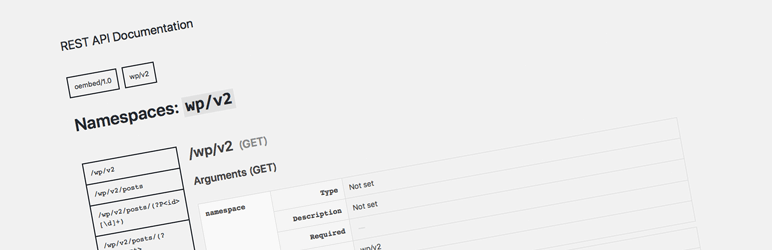
This plugin shows you available REST API endpoints.
You can find availability of your WordPress easily.
Installation
Installing via WordPress admin screen is recommended.
You can find Tools > REST API menu.
Manual Installation
- Upload rest-api-docs folder in
wp-content/pluginsfolder. - Activate the plugin through the ‘Plugins’ menu in WordPress
Build from Source
This plugin is also hosted on Github.
To build this plugin, follow the instructions below. npm is required.
#Clone repository.
git clone git@github.com:kuno1/rest-api-docs.git
cd rest-api-docs
#Build assets and remove unnecessary files.
./bin/package.sh
FAQ
- Installation Instructions
-
Installing via WordPress admin screen is recommended.
You can find Tools > REST API menu.Manual Installation
- Upload rest-api-docs folder in
wp-content/pluginsfolder. - Activate the plugin through the ‘Plugins’ menu in WordPress
Build from Source
This plugin is also hosted on Github.
To build this plugin, follow the instructions below. npm is required.#Clone repository. git clone git@github.com:kuno1/rest-api-docs.git cd rest-api-docs #Build assets and remove unnecessary files. ./bin/package.sh
- Upload rest-api-docs folder in
- How can I report bugs?
-
Post to support forum or create issue on github.
Reviews
There are no reviews for this plugin.
Contributors & Developers
“REST API Docs” adalah perisian sumber terbuka. Orang-orang berikut telah menyumbang kepada pemalam ini.
Penyumbang

“REST API Docs” telah diterjemahkan ke dalam 2 penempatan. Terima kasih kepada para penterjemah untuk terjemahan mereka.
Translate “REST API Docs” into your language.
Berminat dalam pembangunan?
Layari kod, periksa repositori SVN, atau langgani log pembangunan dengan RSS.
Changelog
0.2.0
- Add automatic deploy.
- Change plugin name with “s”.
0.1.0
- Initial release.