

Description
Query Forge is a visual query builder for WordPress OR Elementor. Using a node drag-and-drop interface powered by React Flow, you connect sources, filters, sorting, and logic to build exactly the queries visually that you need — without writing a line of code.
It works wherever you build! Use the Query Forge block in the WordPress block editor (Gutenberg), or the Smart Loop Grid widget in Elementor. The same powerful canvas drives both.
<img=”http://queryforgeplugin.com/images/QueryForge-Way-Title.png”>
Key Features
- Visual Node-Based Interface — Drag and drop nodes to build queries visually
- Works with Gutenberg OR Elementor — one plugin, both editors
- Post Type Support — Query Posts, Pages, and all Custom Post Types
- Taxonomy Filtering — Filter by categories, tags, and custom taxonomies
- Meta Filtering — Filter by custom fields with operators (=, !=, LIKE, NOT LIKE)
- Flexible Sorting — Sort by Date, Title, or ID
- Include/Exclude Posts — Fine-tune which posts appear in your results
- AND Logic — Combine multiple filters with AND logic
- Standard Pagination — Built-in pagination support
- Save & Import Queries — Save your query configurations for reuse
- Card Design Controls — Typography, colors, alignment, image ratio, border radius, and shadow — no CSS required
- Inline Preview — See your query results directly in the editor canvas (block editor and Elementor)
- Server-Side Rendering — Block output is rendered by PHP for fast, SEO-friendly results
Perfect For
- Building custom post grids and loops
- Creating related posts sections
- Filtering content by custom fields
- Displaying posts from multiple post types
- Creating dynamic content sections
Free vs Pro
Free Version Includes:
- One source node per query (Posts, Pages, all CPTs)
- Taxonomy filters — categories, tags, and custom taxonomies (Has any of, Does not have, Has all of)
- Meta filters (single key, =, !=, LIKE, NOT LIKE operators)
- AND-only logic
- Basic sorting (Date, Title, ID)
- Standard pagination
- 5 Canned Card Styles
- Full Card Design Controls — typography, colors, alignment, image ratio, border, shadow
- Works with Gutenberg block editor and Elementor
Pro Version Unlocks:
- Multiple source nodes per query
- Advanced data sources (Users, Comments, SQL Tables, REST APIs)
- Multiple meta keys and advanced operators (>, <, BETWEEN, IN, etc.)
- OR logic and nested logic groups
- Advanced sorting (Random, Menu Order, Meta Value)
- Dynamic data tags ({{ current_post_id }}, {{ current_user_id }}, etc.)
- SQL Joins
- AJAX pagination, Load More, and Infinite Scroll
- Related content logic
- Context-aware behavior
- Preview Node — see live query results on the canvas as you build, before saving
- Source Preview — browse and search raw source content inline on any Source node
- Custom User Templates via Elementor Pro (Elementor only)
External services
This plugin does not connect to any third-party or external web services. All data is stored and processed within your own WordPress site.
Some fields in the visual builder may show example URLs such as https://api.example.com/endpoint. These are placeholder examples only. Query Forge itself does not send any data to those URLs or to any external API.
If you integrate Query Forge with your own APIs or services, please review the terms of service and privacy policies for those services.
Support
For support, feature requests, and documentation, please visit:
* Query Forge Website: https://queryforgeplugin.com
* Documentation: https://queryforgeplugin.com/documentation.html
Credits
Built with:
- React Flow (https://reactflow.dev) — Node-based UI framework
- WordPress Block Editor (Gutenberg) — Block integration
- Elementor (https://elementor.com) — Widget integration
License
Query Forge is licensed under the GPL v2 or later.
Need more power? Upgrade to Query Forge Pro (https://queryforgeplugin.com) for advanced features like multiple data sources, dynamic data, SQL joins, AJAX pagination, and more.
Screenshots
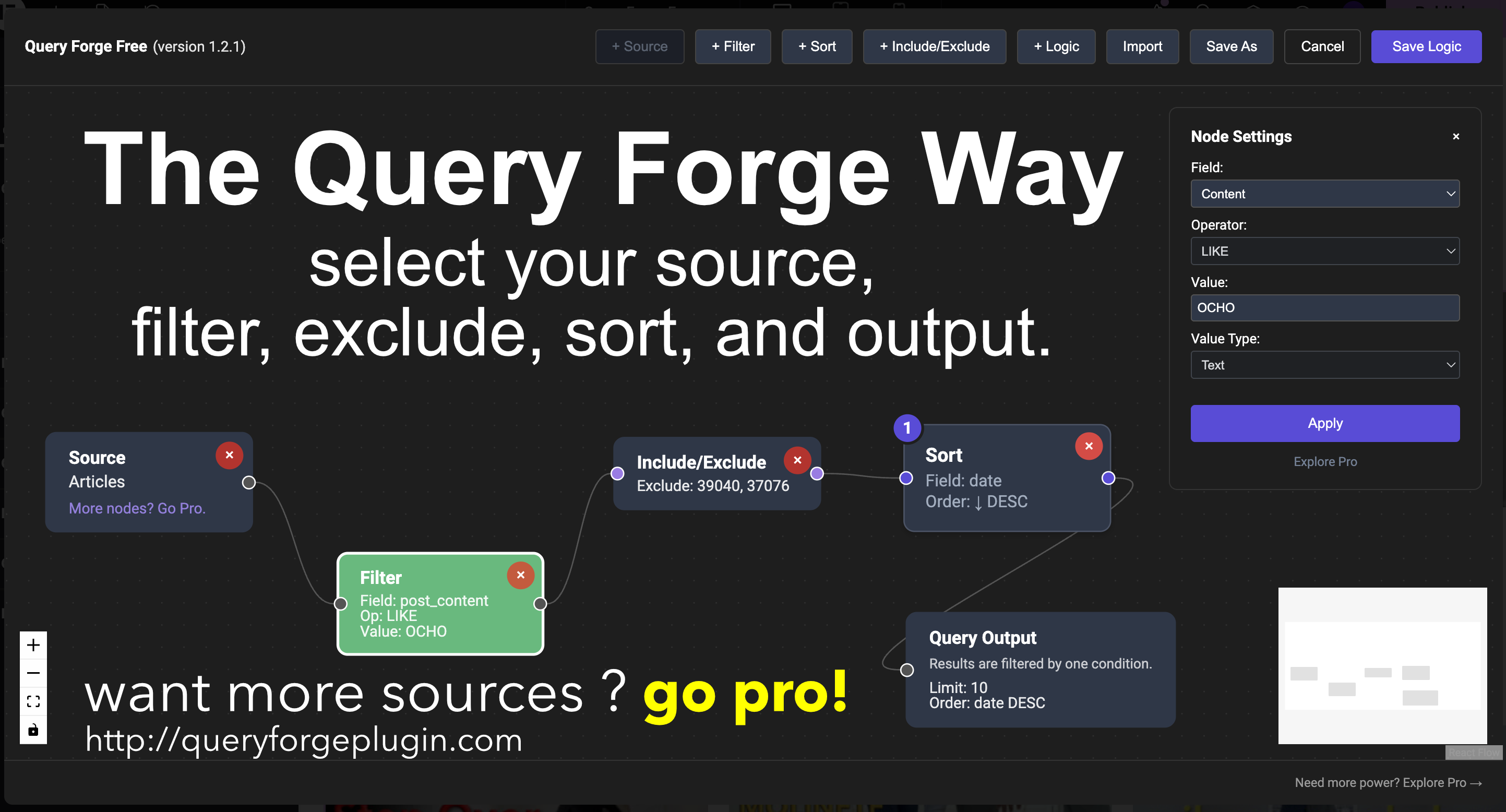
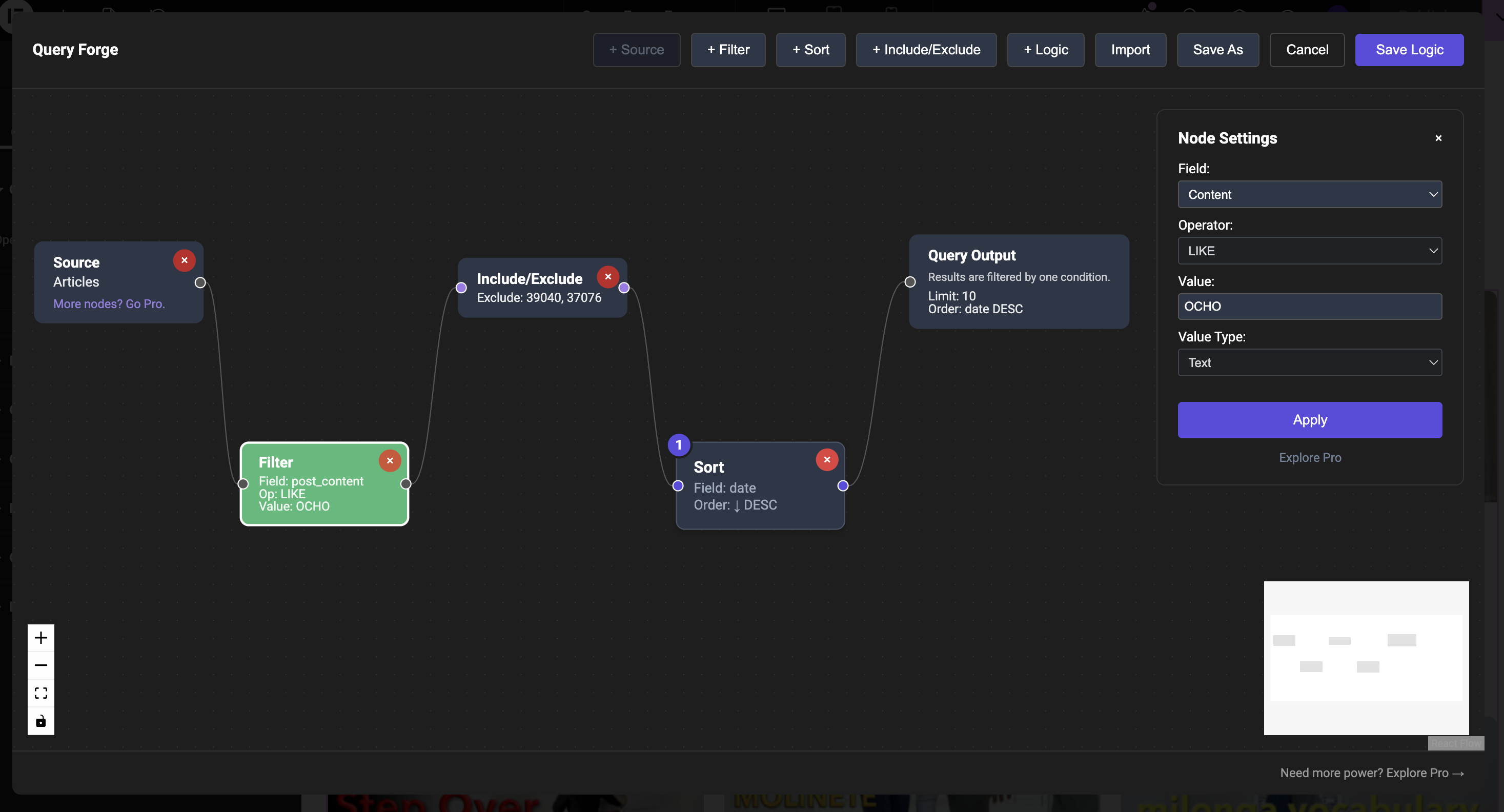
Visual node-based query builder interface 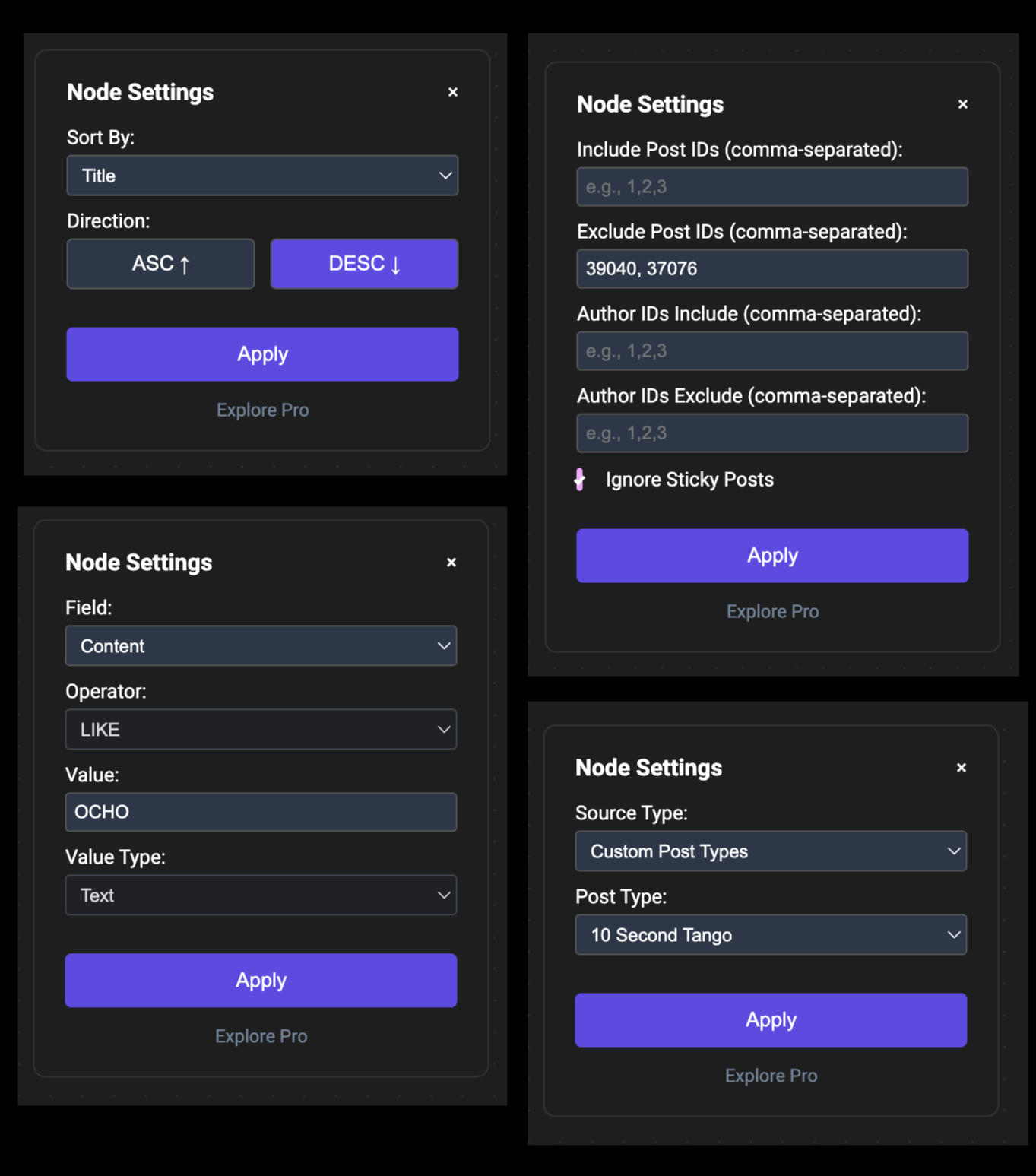
Query Forge block in the WordPress block editor with inline preview 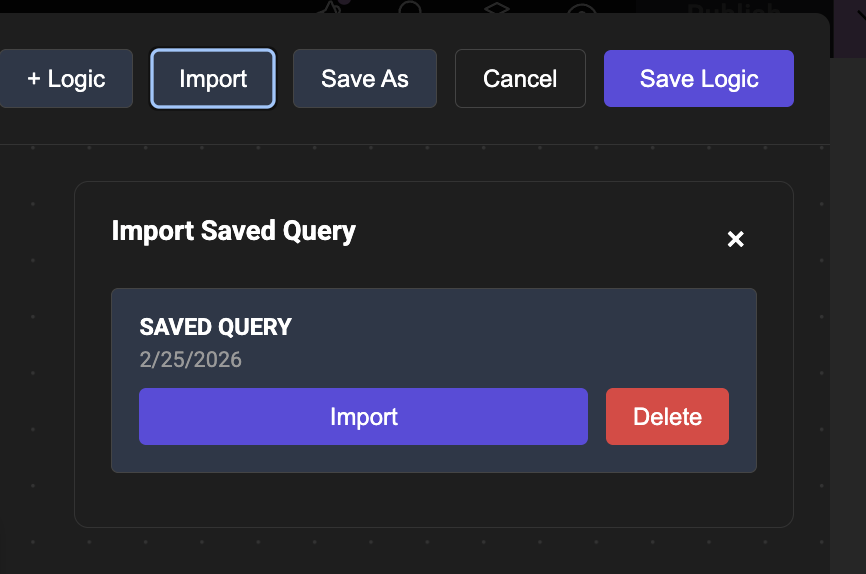
Source node configuration 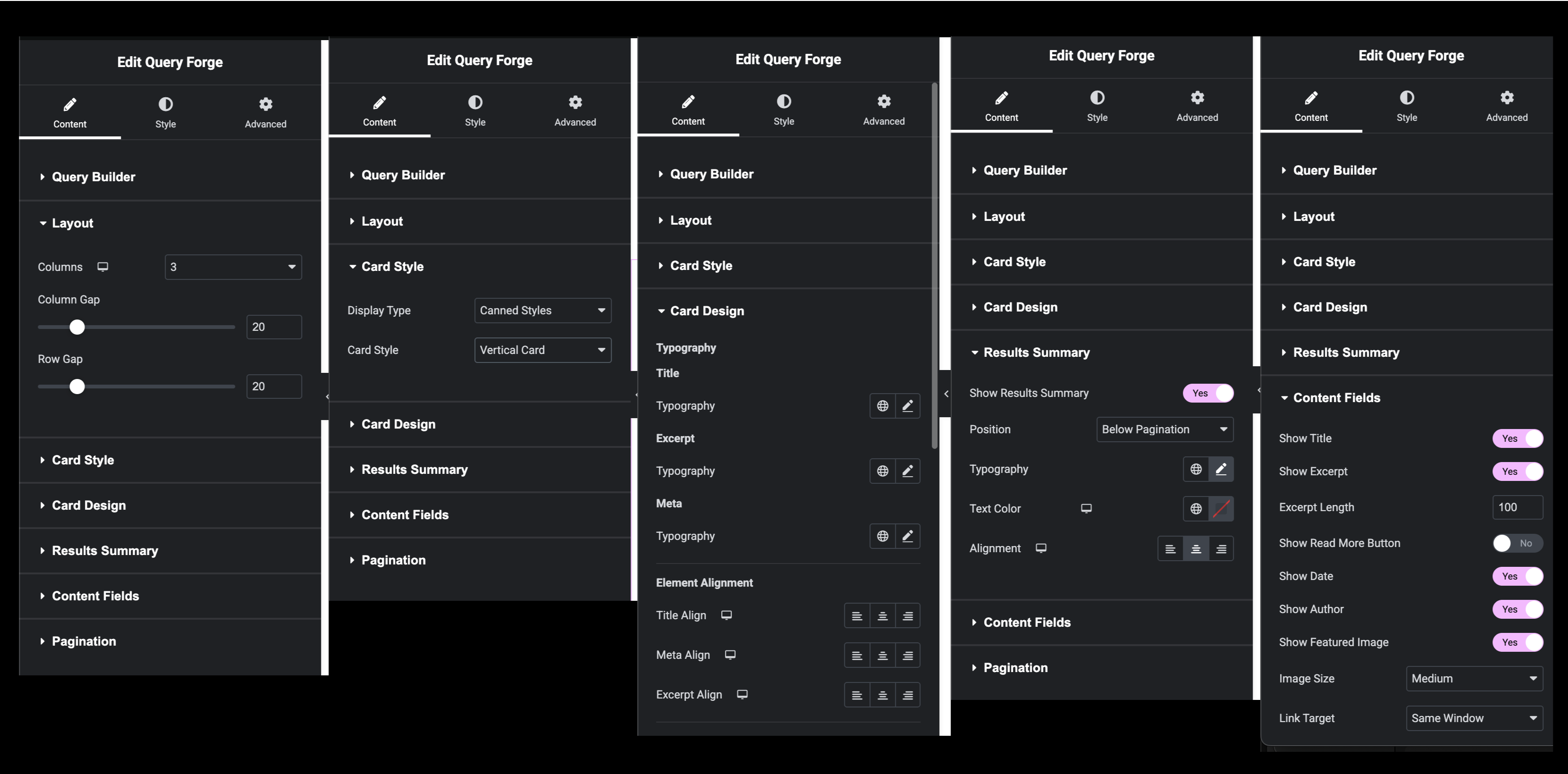
Filter node with taxonomy and meta options
Installation
From WordPress.org
- Go to Plugins Add New
- Search for “Query Forge”
- Click Install Now
- Click Activate
Manual Installation
- Download the plugin zip file
- Go to Plugins Add New Upload Plugin
- Choose the zip file and click Install Now
- Click Activate
Requirements
- WordPress 6.0 or higher
- PHP 7.4 or higher
- Elementor is optional — Query Forge works with the WordPress block editor without it
Build Your Own
The plugin ships with a pre-built editor bundle. The human-readable source code is available at:
https://github.com/queryforgeplugin/Query-Forge
The source uses React (via WordPress wp-element), React Flow, and a standard webpack build toolchain.
To build from source:
- Clone the repository:
git clone https://github.com/queryforgeplugin/Query-Forge.git - Install Node.js (v16 or higher) and npm
- In the plugin root directory, run:
npm install - Run the build script:
npm run build
The build produces two bundles: qf-editor.bundle.js (Elementor) and qf-block.bundle.js (Gutenberg block editor).
FAQ
-
Does this work without Elementor?
-
Yes! Query Forge works with the WordPress block editor (Gutenberg) without Elementor. Install and activate the plugin, add a Query Forge block to any page or post, and build your query. Elementor is completely optional.
-
Does this work with Elementor?
-
Yes! Query Forge includes the Smart Loop Grid widget for Elementor. It works with both Elementor Free and Elementor Pro. You do not need Elementor Pro to use Query Forge.
-
Can I use this with Custom Post Types?
-
Yes! The Free version supports all Custom Post Types. Simply select your CPT in the Source node.
-
What’s the difference between Free and Pro?
-
The Free version provides essential query building for standard WordPress content using our visual builder. Pro unlocks advanced features like multiple sources, dynamic data, complex logic, and advanced pagination. See the “Free vs Pro” section above for details.
-
Can I build queries with any CPT?
-
Yes. Query Forge works with any Custom Post Type created by ACF, JetEngine, or any other plugin. The Free version allows one source node per query — filter, sort, and display content from any single CPT. The Pro version unlocks multiple source nodes to combine data from different sources in a single query.
-
Can I save my queries?
-
Yes! You can save query configurations and import them later for reuse across different blocks or widgets.
-
Can I export queries to another WordPress install?
-
Not yet — this is planned for a future Pro release.
-
Does this work with page builders other than Elementor?
-
Query Forge is designed for the WordPress block editor (Gutenberg) and Elementor. It does not have integrations for other page builders at this time.
-
Is this plugin translation-ready?
-
Yes, Query Forge is translation-ready and includes a .pot file for translators.
-
Are there built-in card layouts?
-
Yes. Both Free and Pro include five canned card styles (Vertical, Horizontal, Minimal, Grid, Magazine) with full design controls — typography, colors, alignment, image ratio, border radius, and shadow — directly in the sidebar. No CSS required.
-
Can I see query results before saving?
-
Yes, but only with Pro. The Preview node shows live results on the canvas as you build, updating automatically without saving. The Source Preview shows raw source content inline on any Source node.
Reviews
There are no reviews for this plugin.
Contributors & Developers
“Query Forge” adalah perisian sumber terbuka. Orang-orang berikut telah menyumbang kepada pemalam ini.
Penyumbang
Translate “Query Forge” into your language.
Berminat dalam pembangunan?
Layari kod, periksa repositori SVN, atau langgani log pembangunan dengan RSS.
Changelog
1.3.0
- Added Query Forge block for the WordPress block editor — the same visual canvas, server-rendered card output, and full sidebar design controls (typography, colors, alignment, image ratio, shadow) stored as block attributes
- Plugin no longer requires Elementor — Elementor remains fully supported for the Smart Loop Grid widget; both integrations are active simultaneously
- Inline block preview via ServerSideRender — see your query results directly in the block editor canvas
- Raised minimum WordPress version to 6.0; tested up to 6.7
1.2.1
- Added taxonomy filtering to the Filter node — filter by categories, tags, and any custom taxonomy registered to the selected post type
- Taxonomy operators: Has any of (IN), Does not have (NOT IN), Has all of (AND)
- Live term search — type in the taxonomy value field to search and select terms by name
- Fixed: query results now correctly include published posts only by default
- Added Free/Pro type label to plugin header for clarity
1.2.0
- Added post IDs to Preview node results — click any ID to copy it to the clipboard
- Added Search to Preview node — filter results by title on demand
- Added Source Preview (Pro) — browse and search raw source content inline on any Source node
1.1.0
- Added Preview node (Pro) — see live post titles and result count as you build
- Added NOT LIKE operator to filter conditions
- Added UNION and UNION ALL relations to the Logic node
- Added Card Design section — typography, colors, alignment, image ratio, border radius, and shadow
- Added Read More button to canned card styles
- Fixed: canvas with no complete path now correctly returns no results
- Fixed: disconnected nodes are now visually dimmed on the canvas
- Improved: query execution model rebuilt for more reliable results
1.0.0
- Initial release
- Visual node-based query builder
- Post type, taxonomy, and basic meta filtering
- Standard pagination support
- Save and import query functionality
- Elementor widget integration