
Description
Build unlimited, professional knowledge bases in WordPress effortlessly. Drag and drop documents with ease. Customizable to match your brand.
Video Overview (Showcased free and premium features)
Designed with the reader in mind, EazyDocs prioritizes a seamless user experience. It is optimized for search engines, integrated with Schema.org, and provides sticky sidebars for easy navigation. The plugin supports multilingual and RTL languages, ensuring accessibility for a global audience. EazyDocs is responsive and retina-ready, ensuring your knowledge base looks great on all devices. It also includes advanced features like live search, feedback collection, article voting, revision history, and more.
Simplify the process of creating and managing documentation with EazyDocs, making it an essential tool for businesses, developers, and content creators.
🔗 USEFUL LINKS
- Get EazyDocs Premium
- Frontend Demo (Premium version)
- Try EazyDocs Premium
- Video Tutorials
- EazyDocs Documentation (Made by EazyDocs)
- EazyDocs Support Forum
Reasons to Choose EazyDocs
-
No Limitation:
There is no limit on creating docs. You can create Unlimited Knowledge base for your products. -
Ordering and Nesting Docs by Drag-n-Drop:
Nesting and re-ordering have never before been so easy. You can easily drag-n-drop your docs to order them. Also, you can nest docs by Drag-n-Drop to create, and re-organize a hierarchical structure. -
Look Beautiful by Default:
EazyDocs offers a modern design that will style your docs and make them look professional without any design skills. Need to customize it? No problem, you’ll find several customizable options to reflect your brand. -
Designed for Reader:
EazyDocs is designed to make it easy for your readers to find what they are looking for. We designed EazyDocs for the readers, optimizing not for page views or engagement — but for reading. -
SEO Optimized:
EazyDocs is SEO-ready right from the first line of code. It will help you to rank your docs on search engines. -
Integrated Schema:
EazyDocs is integrated with Schema.org, which is a set of schemas that help search engines understand your content better. It will help you to rank your docs on search engines. -
Sticky Sidebars:
EazyDocs has sticky sidebars that will help your readers to navigate through your docs easily. Make the sidebars to follow you as the visitor scroll and show the important content. -
Simple Navigation:
The tree view navigation helps readers to visualize the full structure of your doc. Helping them to move from one category to another easily. The filter form helps to find the right doc quickly. -
Multilingual and RTL Ready:
EazyDocs is translation ready & WPML compatible. Build your website in any language – even in an RTL one! You can translate it into your language and use it on your website. -
Responsive & Retina Ready:
EazyDocs is 100% responsive to make your Knowledge base look beautiful and effective on all major devices. -
On Demand Asset Loading:
Loading only necessary CSS, JavaScript, image, and font files assets on the EazyDocs pages and will not load our assets on other pages of your website.
📒 Hierarchical & Filterable Doc Builder UI
We designed the EazyDocs Doc Builder admin UI to be as simple as possible yet powerful. You can create a new doc, filter docs by post status, view positive/negative feedback ratio, and organize your docs with drag-and-drop ordering.
⚡ Live Customizer
EazyDocs comes with a live customizer that allows you to customize your Knowledge base without leaving the WordPress admin. You can change the colors, fonts, and other settings to reflect your brand.
⚙️ Advanced Settings Page
The advanced settings page allows you to customize your Knowledge base without touching a single line of code. You can change the colors, fonts, and other settings to reflect your brand. By searching on the Settings page, you can find your desired option in real-time.
🔍 Ajax Live Search Results
EazyDocs comes with a live search feature that allows your readers to search for docs without leaving the page. The EazyDocs search is designed to provide relevant search results at every level. Its structured layout gives the users more context to understand the product.
📤 Share Docs via all possible ways
EazyDocs comes with a share button that allows your readers to share your docs in all possible ways. Visitors can share the Docs on social sites as well as they can directly mail or copy the link to share it from the doc single page.
🧱 Building pages with Gutenberg Blocks
You don’t have to remember shortcode attributes or values. We made it dynamic. EazyDocs has some pre-built blocks to make the Docs page building easier and quick.
🧩 Build doc pages with Elementor
EazyDocs has some pre-built widgets to make the Docs page building by drag-n-drop. You can use the widgets in the Elementor page builder to build your Docs page.
⬅️ Collapsible Sidebar
EazyDocs comes with a collapsible sidebar that allows your readers to hide the sidebar and focus on the content. The sidebar can be collapsed by clicking on the sidebar toggle button.
🗂️ 4 Level Depth Supported
EazyDocs supports a 4-level depth of docs. You can create a doc with 4 level depth. The depths are, Doc Name (1st depth) > Section (2nd depth) > Article (3rd depth) > Article (4th depth)
📝 Doc Excerpt/Summary Content
EazyDocs allows you to add excerpt/summary content to your docs. You can add the excerpt/summary content to your docs to show it on the docs list and single page.
👁️ Read time, Views Count
EazyDocs comes with a read time and views count feature that allows your readers to know how much time they will take to read the doc and how many times the doc has been viewed.
📖 Reading Assistant Tools
EazyDocs comes with a reading assistant tool that allows your readers to increase or decrease the font size, print Doc, and TOC is developed for a consistent reading experience.
📋 Built-in Table of Contents (TOC)
EazyDocs will automatically create a structured Table Of Contents(TOC) while you are writing your documentation. That allows your readers to navigate through the doc easily. The TOC is developed for a consistent reading experience.
🤠 Get Feedback From Real Visitors
EazyDocs comes with a feedback feature that allows your readers to give feedback on the docs. The feedback will be shown on the doc single page. You can also see the feedback on the admin side.
Get feedback easily, so you can efficiently develop and refine your knowledge base articles. Feedback helps you understand what content visitors find useful and engaging. Make your knowledge base more effective by identifying and refining unhelpful articles.
🕒 Recently Viewed Articles
No need to memorize or remember the last viewed articles by the user. They can see and visit their recently visited articles at the bottom of doc single page
📚 Related Articles
Sometimes readers might be interested to read the Related articles. EazyDocs will automatically create a Related Articles section at the bottom of the doc single page.
💬 Article Comments
Facilitate interactive engagement with your content by enabling comments and replies on your knowledge-base articles, allowing readers to ask questions and seek clarifications.
📝 Article Voting
EazyDocs allows visitors to vote on articles, helping you understand which articles are popular and need improvement. You can also see the positive and negative votes ratio on the admin side.
🏷️ Article Tags
Organize and manage your articles efficiently by tagging them, making it easier for your readers to search and discover the content they need.
🕑 Revision History
Keep a record of article drafts and edits, and restore earlier versions if required.
🚀 How to create a Knowledge base website with EazyDocs (premium version)
EazyDocs Pro plan features include:
- Voting & Comments Notifications
- Doc Helper Assistant with Contact Form
- Conditional Content Dropdown
- Ajax Doc Loading
- Doc Dark Mode
- OnePage Documentation
- User Role Management
- Docs Archive Masonry Layout
- Private Doc with Login Page
- Glossary Docs
- Extended Doc Layout
- Doc Badge
- Suggested Search Keywords
- Bulk Duplicate Documentation
- Bulk Doc Visibility (Private/internal, Password Protected, Public)
- User Restriction, Internal / External Site Support
- Editable Single Doc Sidebar Area
- Fully RTL Compatibility
- Duplicate Bulk/Individual Documentation
EazyDocs Promax plan features include:
- All Pro plan features
- Analytics
- Contributor, Add/Edit doc from Frontend
- Footnotes
- Elementor pre-made templates
Click here to know more about EazyDocs Premium Plans and Features
Author
Brought to you by Md Jwel from spider-themes
Screenshots

Docs builder UI in the WordPress Admin dashboard 
Ordering and Nesting Docs by Drag-n-Drop 
Creating the Docs page with EazyDocs Shortcode and Search Banner block 
Live customizer to change the colors, fonts, and other settings 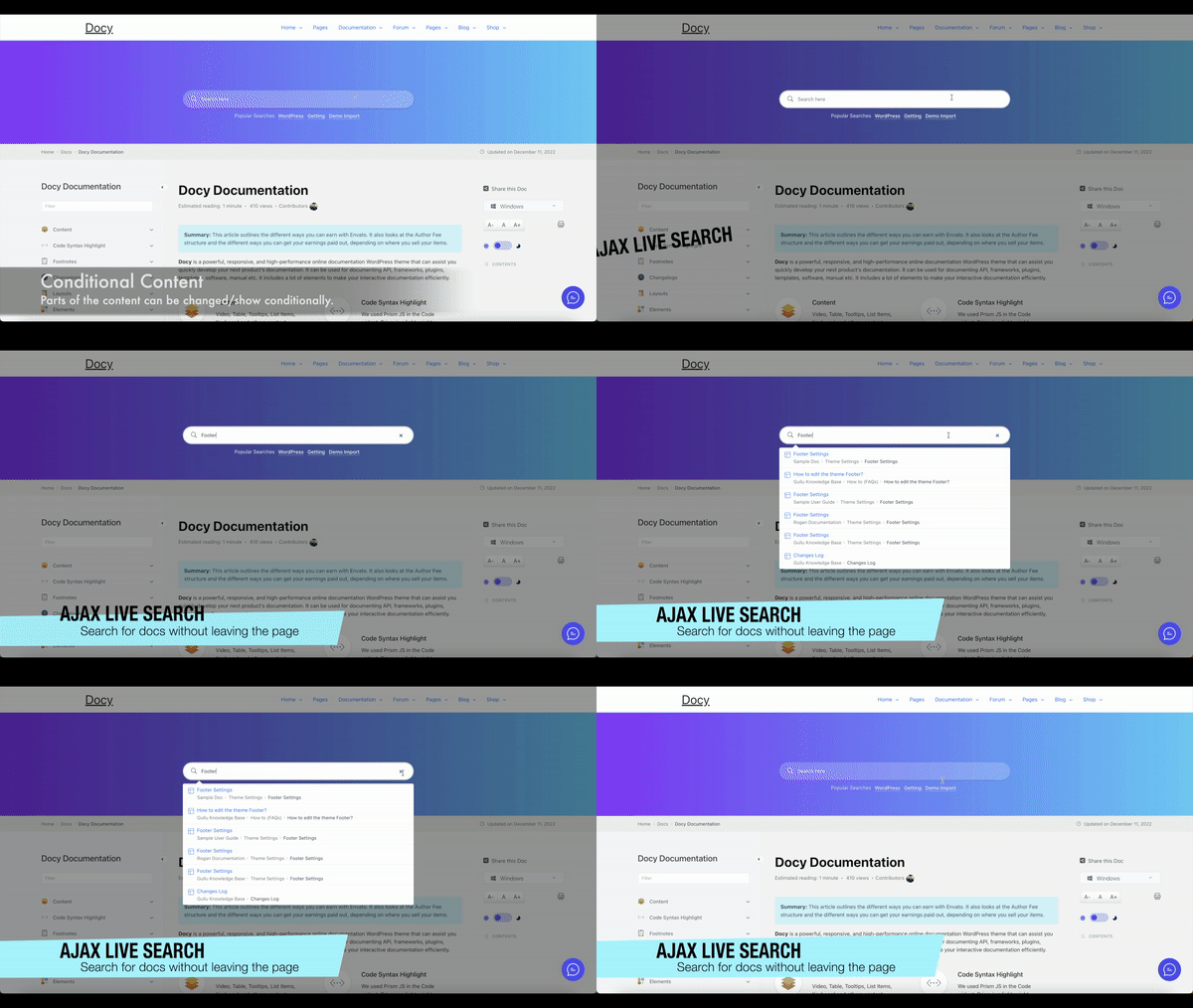
Live search results 
User Feedback and Voting 
Share button to share the docs via all possible ways 
Blocks
This plugin provides 3 blocks.
- EazyDocs Shortcode Display the Docs on the website frontend.
- EazyDocs Toolbar
- EazyDocs Search Banner EazyDocs search banner. Insert this block on a full-width page template to view it properly.
Installation
Minimum Requirements
- PHP 7.4 or greater is recommended
- MySQL 5.6 or greater is recommended
You can install the EazyDocs from your WordPress Dashboard or manually upload it through cPanel/FTP.
OPTION 1: Install the EazyDocs Plugin from WordPress Dashboard
- Navigate to Plugins -> Add New.
- Search for ‘EazyDocs’ and click on the Install button to install the plugin.
- Activate the plugin in the Plugins menu.
- Optional step: configure the plugin in the Admin menu, in EazyDocs -> Settings.
OPTION 2: Manually Upload Plugin Files
- Download the plugin file from the plugin page: eazydocs.zip.
- Upload the ‘eazydocs.zip’ file to your ‘/wp-content/plugins’ directory.
- Unzip the file eazydocs.zip (do not rename the folder).
- Optional step: configure the plugin in the Admin menu, in EazyDocs -> Settings.
FAQ
-
Does EazyDocs work with any theme?
-
Yes, the EazyDocs works with any standard WordPress theme.
-
What makes EazyDocs unique compared to other documentation plugins?
-
EazyDocs is a comprehensive and feature-rich knowledge base and documentation builder plugin for WordPress. With EazyDocs, you have the freedom to create unlimited knowledge bases for your products, without any limitations. The plugin offers a user-friendly interface, allowing you to easily order and nest your documents by simply dragging and dropping them. EazyDocs comes with a modern and professional design by default, and it also offers customization options to match your brand identity.
-
Can I use EazyDocs on a multisite network?
-
Yes, you can use EazyDocs on a multisite network.
-
Can I restrict access to certain documentation?
-
Absolutely! EazyDocs provides options to restrict access to specific documentation or make it private for logged-in users.
-
Can I add a search bar to my documentation?
-
Yes, you can add a search bar to your documentation. EazyDocs comes with a search bar block that allows your readers to search for docs without leaving the page.
-
Do I need coding skills to use EazyDocs?
-
No coding skills are required. EazyDocs offers a user-friendly interface for creating and organizing content.
-
Where can I report bugs or contribute to the project?
-
To report bugs or to contribute, head over to the GitHub repository
-
Can I use EazyDocs on multiple websites?
-
Yes, you can use EazyDocs on multiple websites. You can use it on as many websites as you want.
Reviews


Contributors & Developers
“EazyDocs – Most Powerful Knowledge base, wiki, Documentation Builder Plugin” adalah perisian sumber terbuka. Orang-orang berikut telah menyumbang kepada pemalam ini.
Penyumbang

Berminat dalam pembangunan?
Layari kod, periksa repositori SVN, atau langgani log pembangunan dengan RSS.
Changelog
v2.4.1 (11 April 2024)
New: Some Control fields (Show/hide switcher, title field) are added for Articles in the ‘EazyDocs > Settings > Doc Single > General’ page
Fixed: An error notice “This block has encountered an error and cannot be previewed” was showing on editing the existing gutenberg blocks
Fixed: Uncaught TypeError in /eazydocs/includes/Admin/template/header.php on line 53
Fixed: Deprecated: Increment on non-alphanumeric string is deprecated in /eazydocs/includes/Admin/template/child-docs.php on line 10
Fixed: Deprecated: Increment on non-alphanumeric string is deprecated in /eazydocs/includes/Admin/template/parent-docs.php on line 17
Tweaked: Some settings are organized to control in ease (Settings > Doc Single > General)
Tweaked: Moved Docs archive options in the ‘EazyDocs Shortcode’ block (No need to go to the settings page to change the Docs archive options)
Tweaked: Responsive design improved on the doc details page
Tweaked: Integrated dynamic popular keywords option in the EazyDocs Search widget
Tweaked: Book chapter layout improved
Tweaked: Improved the doc middle content on the big screen
Tweaked: Necessary support added for EazyDocs Premium version 2.0.0
v2.4.0 (14 January 2024)
Fixed: Delete and Create doc secured by user role (user who has not the capability to delete or create doc, they can’t delete or create doc)
Fixed: Feedback Email field did not work in incognito mode
Fixed: Solved fatal error by reverting a function name with template override
Fixed: Archive page masonry layout was not working
Tweaked: Doc excerpt design improved with non-bootstrap based themes
Updated: Freemius SDK updated to 2.6.2
v2.3.9 (29 December 2023)
Fixed: Resolved the issue with the show more button in Single Doc elementor widget preset 4
Fixed: The problem with Analytics views
Tweaked: Added an option in the settings for dynamic popular keywords in the doc search form
Tweaked: Notification dropdown box design improved
New: Users can now delete their own documents
v2.3.8 (25 December 2023)
Fixed: In some cases, the doc creation was not working
Tweaked: Compatibility with any block theme (the header and footer of block theme will show properly)
Tweaked: Compatibility with the latest EazyDocs Pro v1.4.3
Tweaked: The Feedback form is now more secure
Updated: Language (.pot) file
v2.3.7 (17 December 2023)
Updated: Freemius SDK updated to 2.6.1
Tweaked: Users role replaced by their capabilities – Followed by org review
Fixed: theme check in ezd_unlock_themes (Merge pull request #10 from EazyDocs Github repository)
v2.3.6 (10 December 2023)
Fixed: COMPATIBILITY ISSUE WITH WPDATATABLES PLUGIN SOLVED (the plugin was conflicting with the EazyDocs plugin)
Fixed: In some cases, the drag-n-drop doc ordering was not working on the Docs builder UI
Fixed: Table of content navigation active issue with scrolling on Doc single page
Fixed: Mixitup JS library was missing, ERROR 500 on the admin side
Fixed: Resolved a critical issue causing an E_ERROR at line 168 in the feedback.php file.
Tweaked: Data secured by nonce and sanitized output – followed by wp.org standards and best practices
Tweaked: Single Doc page and OnePage Doc frontend design improved in 4k resolution display
Tweaked: The “Docs Page” option moved to the Archive tab in the EazyDocs > Settings > Docs Archive page
Tweaked: Frontend design improved (Doc single page, OnePage Doc, Feedback modal)
Tweaked: Rating notice text updated with created doc count
Tweaked: Modified user feedback settings to make them private, restricting visitor access from the frontend.
Tweaked: Implemented measures to make user feedback non-accessible, preventing Google indexing for enhanced privacy.
Tweaked: Doc Builder UI design improved
Tweaked: Removed some unnecessary files and code (normalize.css)
Tweaked: Added “Breadcrumb” show/hide option in the Settings > Doc Single > Search Banner, so that a user can enable or disable the breadcrumbs in the search Ajax results
Updated: eazydocs.pot file in the languages folder
v2.3.5 (17 November 2023)
Fixed: Shortcode wasn’t rendering in the doc content area.
Fixed: Console error for the Conditional dropdown on the right sidebar (unlocked in EazyDocs Pro, Docy and Docly themes)
Fixed: Conditional dropdown was conflicting with Bootstrap based themes (removed the bootstrap-select JS and made it with custom JS)
Fixed: On Doc single page, the left sidebar doc menu item’s child expand icon (which has children item) click wasn’t working as expected
v2.3.4 (15 November 2023)
Fixed: Left sidebar arrow icon toggle not working on Ajax load
Fixed: Some JS was not working on the Ajax loaded content
New: Right sidebar template added OnePage Doc (unlocked in Docy, Docly themes and EazyDocs Premium plans)
Tweaked: Improved the OnePage Doc design
Tweaked: Improved the custom framework CSS to avoid conflict with other frameworks, themes and plugins
Tweaked: Deleted some unnecessary codes and files
Tweaked: Sidebar open icon made smaller on mobile device to adjust spacing with the doc content
Tweaked: Properly sanitized $wpdb queries and custom SQL queries to avoid SQL injection vulnerabilities (Thanks to the EazyDocs users for the report)
Tweaked: Compatibility with FSE/block themes (tested with ‘Twenty Twenty-Four’ and ‘Twenty Twenty-Three’ improved
Tweaked: Feedback modal UX improved (the modal will close on clicking on the modal overlay area)
Updated: Freemius SDK updated to 2.6.0
v2.3.3 (05 November 2023)
Tweaked: Full width layout improved (padding adjusted)
Tweaked: Hover state improved on the current Doc item on the Left sidebar on the single doc page.
Fixed: Keywords were missing in the Search Banner block (unlocked in Docy, Docly themes and EazyDocs Premium plans)
v2.3.2 (03 November 2023)
Note: The EazyDocs Search Form widget re-structured and improved. If you are using the EazyDocs Search Form widget on your site, you may need to re-configure the widget settings.
New: Submit button position, border radius and Form Width fields are added in the EazyDocs Search Elementor widget
Fixed: Console error on block editor if the ‘EazyDocs Search Banner’ block is used on the page
Tweaked: EazyDocs Search Elementor widget’s markup, design and design improved
Tweaked: Ajax Search results styling improved
Tweaked: Made the Block’s assets load conditional. Now the assets will load only if the block is used on the page.
Tweaked: Deleted some unnecessary files (src/shortcode/block-shortcode-render.php) and code
Tweaked: Code structure improved
v2.3.0 (02 November 2023)
New: Auto Numbering option added for the Doc Sidebar Toc in the EazyDocs > Settings > Single Doc > Right Sidebar
New: Doc views count column in Classic view mode on the admin dashboard. See it https://i.postimg.cc/HnzYnhMr/image.png
Tweaked: Default brand color changed to #0866ff to make the design more clean and minimal.
Tweaked: Some design (share modal, font size switcher, feedback modal, doc single page) improved
Tweaked: Bootstrap dependency removed from EazyDocs completely. Now EazyDocs will not conflict with any theme or plugin.
Tweaked: Prefix common class like badge, utility classes to avoid conflict with other themes and plugins.
Tweaked: Coding standard improved and some unnecessary code removed.
Tweaked: Some design improved for mobile devices.
Tweaked: Tested and make fully compatible the plugin with some popular themes like Astra, Blocksy, Storefront, Hello Elementor, GeneratePress, Twenty Twenty Two, Twenty Twenty One, Avada, Divi, Hestia, Jupiter and more.
Fixed: Private Docs count was not showing on the EazyDocs shortcode and Elementor widgets.
Fixed: In some cases, the doc View counter was not update.
Fixed: Some JavaScript functions were not working on the Single doc Ajax loading.
v2.2.4 (21 September 2023)
New: Brand Color on Dark Mode option added in the EazyDocs > Settings > General
Updated: Freemius SDK to the latest version 2.5.12
Updated: Language (.pot) file
Tweaked: File system structure improved in the plugin folder
Tweaked: Design improved
Tweaked: Code format improved
v2.2.3 (10 September 2023)
Fixed: Mixitup JS console error on the admin side
Tweaked: Responsive view of Feedback form improved
Tweaked: Dark mode colors improved to make it more readable
Tweaked: Doc single design improved (content width, left sidebar navigation active color, right sidebar width on full width mode)
v2.2.2 (03 August 2023)
New: French, Portuguese, Chinese, Spanish, German, Russian language translation files are added. Now, the plugin’s strings will be translated automatically if your site language is set to any of these languages.
Tweaked: Made the settings page translatable
Tweaked: clear both CSS applied to the Doc bottom area on the Doc single page to avoid the overlapping issue
Tweaked: Removed some unnecessary files from the plugin (options framework’s unnecessary files)
v2.2.1 (30 July 2023)
Updated: Freemius SDK updated 2.5.10
Updated: Options framework updated to improve integration with the latest WordPress version
Updated: Language .pot files
Tweaked: Some design improved
v2.2.0 (16 June 2023)
New: Elementor Search Banner layout added in the ‘EazyDocs > Settings > Doc Single > Search Banner’ page. Now you can create/customize the doc search banner with Elementor
Fixed: Next & Prev docs issue solved
Fixed: Brand color wasn’t changing
Tweaked: Added Tabs Arrow Icon when the tabs are more than the container width in the EazyDocs Multi Docs Elementor Widget (unlocked in Premium plan, Docy and Docly themes)
Tweaked: Search banner compatibility with Docy & Docly themes improved
Tweaked: Doc single page design improved (active doc item color)
Tweaked: Compatibility with block/FSE themes improved
v2.1.8 (12 May 2023)
Fixed: JS error on the docs-single.js file 787 line number
Tweaked: Compatibility with Docy theme improved (dark mode, search banner, and other minor issues)
Tweaked: Some Dark mode colors are changed to improve the text readability
v2.1.7 (16 April 2023)
Fixed: PHP error
v2.1.6 (16 April 2023)
Fixed: EEE text was appending before the Ajax search result items.
Tweaked: Removed the deprecated function get_page_by_title to be compatible with the WordPress version 6.2.0! Used WP_Query instead.
Tweaked: Dark Mode colors improved
Tweaked: Responsive design improved
v2.1.5 (04 April 2023)
New: Featured image show/hide option added in the EazyDocs > Settings > Doc Single > General tab
Fixed: Some JS errors on the Doc single page and admin side
Tweaked: Deleted some unnecessary and merged some JS files
v2.1.4 (12 March 2023)
Fixed: Settings page was missing on some web server
v2.1.3 (12 March 2023)
Fixed: The search banner background was missing and not changing custom background color and image from the Settings page
v2.1.2 (11 March 2023)
Tweaked: Options Visibility option changed to Switcher from Dropdwon in the Settings page
Fixed: wp_mail() was conflicting with SMTP plugins.
Fixed: Pro settings was not unlocking on the customizer even after activating the license key.
v2.1.1 (01 March 2023)
New: demo.xml file added in the include/sample-data folder
Tweaked: EazyDocs Docs Builder UI RTL view improved
Tweaked: Added Column changing option in Single Doc widget
Tweaked: OnePage Doc design improved (unlocked in the Premium and Docy theme)
v2.1.0 (11 February 2023)
New: Keywords background and text color hover color change options added in the Doc Search Elementor widget
Fixed: 404 Error was showing often on creating a new doc in Nginx server (CRUD operational issues solved for NGINX server)
Tweaked: Language file updated
Tweaked: block_categories was deprecated in WordPress 5.8.0. Replaced with block_categories_all
Tweaked: Alert prompt message font size adjusted and some message text updated according to the context of task in the admin side.
Tweaked: Elementor widget’s frontend design improved
Tweaked: Code structure improved to make it more readable, maintainable
Tweaked: Some unnecessary code and files removed
v2.0.6 (11 January 2023)
Tweaked: Folder open/close icon CSS improved to make compatible with image lazy loading plugins.
Tweaked: Dark mode colors improved.
Updated: Removed some unnecessary code
v2.0.5 (29 December 2022)
Fixed: Doc navigation’s active state wasn’t working with Ajax load
New: [reference] shortcode added to show/create Footnotes (unlocked with Docy, Docly and EazyDocs premium). Read doc here https://tinyurl.com/2ewlorze
New: Trash icon (with trashed docs count) added on the top of the Doc builder UI
Tweaked: Docs builder UI design improved
Tweaked: Compatibility with the EazyDocs Pro version improved
Tweaked: Doc navigation active state design
Tweaked: Font size switcher JS merged with the main JS file to improve the frontend loading performance
Tweaked: Doc frontend view on Tablet and Mobile devices improved
Tweaked: jQuery UI loading from WordPress core in the admin area to improve the admin area loading performance
Tweaked: OnePage doc design improved (Unlocked in the Docy, Docly theme and EazyDocs Pro version)
v2.0.1 (08 December 2022)
Fixed: Creating new doc wasn’t working
Tweaked: Docs filter by words/characters restore to default data after clearing the search
Tweaked: Docs builder UI design improved
v2.0.0 (05 December 2022)
Note/Blog: This is a major release. Please read the release notes carefully before updating https://tinyurl.com/2zx3askn
New: Opt-In v.2.0
New: Drag-n-drop ordering and nesting of docs in the Docs builder UI in the WordPress Admin dashboard
New: Docs, Single Doc and Doc Search Form Elementor widgets added
New: Show excerpt on the Doc single page
Fixed: eazydocs_local_object was not appropriately enqueued in the admin dashboard pages. That’s why the Notice dismiss, and later buttons were not working
Fixed: Left and Right sidebar was not showing on mobile devices
Fixed: The Share popup was not showing properly with other themes (except the Docy and Docly themes)
Tweaked: The Docs filtering by matched words/characters is now more user-friendly by keeping the matched doc accordion open
Tweaked: Dark mode colors improved
Tweaked: Assets loading improved (dependency added)
Tweaked: Code standard/format improved
v1.3.7 (12 November 2022)
Tweaked: Compatibility with any themes improved
Fixed: Pro Max Options was not unlocking with the Pro Max license
v1.3.6 (10 November 2022)
Fixed: Pro notice issue even if the license is activated
Tweaked: Version number added to the assets to avoid cache issue
Updated: Freemius SDK updated to the latest version (2.4.5)
Updated: Language (.pot) file
v1.3.5 (06 November 2022)
New: Share button added to the single doc page (Social share, Email share, Copy link)
Tweaked: Excerpt content support in the doc section archive
Tweaked: Left sidebar design (doc item hover, active states spacing) improved
Tweaked: Doc single page view improved on mobile devices
Tweaked: Last level doc item support added in the OnePage doc layouts (unlocked in EazyDocs Pro, Docy and Docly themes)
Tweaked: Compatibility with any themes improved
v1.3.4 (15 October 2022)
Fixed: The right sidebar TOC was not showing in the previous version (1.3.3)
Tweaked: Credit text is now editable from EazyDocs > Settings > Doc Single > General
Tweaked: Password protected form design
Tweaked: Folder structure re-organized
v1.3.3 (10 October 2022)
New: EazyDocs shortcode block
New: Search Banner block
New: Background and Padding options added in the EazyDocs > Settings > Doc Single > Search Banner
Tweaked: Compatibility with themes improved
Removed: Some unnecessary files (some font files)
v1.3.2 (10 September 2022)
New: Show password protected, private (internal) docs in the docs archive page with specialized design
Fixed: Doc TOC was not showing (except Docy & Docly)
Fixed: If a visitor was open a document with an anchor URL to some title – they were not get an automatic scroll to the title.
Fixed: Font size switcher was not working in Tabs, Ul, OL contents
Tweaked: Ajax search results improved
Tweaked: Dark mode switcher and colors
Tweaked: Tags spacing on frontend
Tweaked: Docs builder UI design improved
Tweaked: Doc Ajax search results improved (performance and design)
v1.3.1 (23 August 2022)
New: Login template for Private docs and Contributors (can be used with EazyDocs Pro)
Tweaked: Compatibility improved with the EazyDocs Pro 1.8.0
Tweaked: Private docs shown in the [eazydocs] shortcode archive page.
Tweaked: [eazydocs] shortcode UI design improved
v1.3.0 (01 August 2022)
New: Ajax Live Search results style improved to include all doc contents in the results
New: Topics Count and Topic Count Text change options added in the EazyDocs > Settings > Docs Archive page.
New: Extended left sidebar layout (unlocked in EazyDocs Pro)
Tweaked: Theme compatibility improved
Tweaked: Live Search Results show on focused mode
v1.2.9 (21 July 2022)
New: Full Screen OnePage Doc layout added (PRO feature, unlocked with Docy and Docly themes)
New: Left and Right content insert boxes added for OnePage doc layouts. Now, you can insert content at the left, right side of the OnePage docs (PRO feature, unlocked with Docy and Docly themes)
Tweaked: Child docs design improved in the Doc Section page
Tweaked: Right sidebar was contents are now scrollable.
Tweaked: Deleted duplicate article listing on the Doc Section page.
Fixed: Feedback Email was not sending
Fixed: Filter form and Left Sidebar Toggle Switcher Show/Hide option was not working
v1.2.8 (02 July 2022)
Tweaked: Doc single page view improved (right sidebar, left sidebar, Feedback modal form) on small devices (tablet, mobile)
Tweaked: Settings re-organized to find easily
Fixed: Docs Slug was not changing
v1.2.7 (27 June 2022)
Tweaked: The Doc Search Banner UI design improved
Fixed: Breadcrumbs Docs archive page text was spelled wrong
v1.2.4 (22 June 2022)
New: Rating notice added (dismissable)
New: Some attributes (col, include, exclude, show_docs, show_articles, more) are added to [eazydocs] shortcode
New: Doc Layout option unlocked for Docy and Docly theme (located in EazyDocs > Settings > Single Doc > General)
Fixed: Doc section open, close icon changing option was not working (PRO feature, unlocked with Docy and Docly themes)
Fixed: Doc full-width layout
Tweaked: Theme Compatibility improved (tested with Avada, Divi, Astra, OceanWP, Storefront, Hello Elementor, GeneratePress, Twenty Twenty, Twenty Twenty One themes)
v1.2.3 (14 June 2022)
Fixed: Doc left sidebar scrollbar in windows browsers
Fixed: Some settings was not working (Docs archive columns, view more button text etc)
Fixed: Bootstrap JS conflicting with bootstrap based theme
Fixed: Dark mode was not showing on OnePage Doc (PRO feature, unlocked with Docy and Docly themes)
Tweaked: Doc single page typography
Tweaked: Made the same settings/options available on the customizer and plugin Settings page.
v1.2.2 (10 June 2022)
Tweaked: Brand Color (rgba colors) more accurately changing
Tweaked: Theme compatibility improved (the design is more stable on any theme)
Tweaked: Dark mode colors (dark mode will work even if the theme background color customized)
v1.2.1 (10 June 2022)
Fixed: Doc content’s media (media, video etc files) was adding as child doc
Tweaked: Theme compatibility improved (the design is more stable on any theme)
v1.2.0 (09 June 2022)
Fixed: OnePage permalink error (PRO feature, unlocked with Docy and Docly theme)
Fixed: Doc left sidebar content was overflowing with exceeding articles.
Tweaked: Left sidebar articles line height and gap improved
v1.1.9 (07 June 2022)
New: OnePage Docs (PRO feature, unlocked with Docy and Docly theme)
Tweaked: Doc single page view improved on mobile (left and right sidebar position)
Tweaked: Feedback contact form design improved
Tweaked: Dark Mode CSS
Tweaked: Removed some unnecessary CSS
Updated: Language file
v1.1.8 (27 May 2022)
New: ‘Doc Right Sidebar’ widget area registered to
New: RTL compatibility added
New: Dark Mode switcher in Settings > Single Doc > Right Sidebar (for PRO version)
Tweaked: Doc single page view improved on mobile
Tweaked: Shortcode design improved (topics count added)
v1.1.7 (23 May 2022)
Fixed: There was problem with purchasing the EazyDocs Pro version (payment mode was in test mode).
New: ‘Number of Articles’ option added in EazyDocs > Settings > Docs Archive
Tweaked: Frontend assets are loading on demand (loads the css, js files when needed)
Tweaked: On demand assets loading (loading only necessary css, javascript assets on the EazyDocs pages and will not load our assets on other pages of your website)
v1.1.6 (20 May 2022)
Tweaked: Doc single page design
Tweaked: Version number suffix added to plugin’s custom stylesheet and scripts file to load the updated files easily
Tweaked: Removed some unnecessary code
v1.1.5 (19 May 2022)
Tweaked: Theme compatibility improved
Tweaked: Backend and frontend design improved
Updated: Language file updated
Fixed: The conditional dropdown was not working
v1.1.4 (14 May 2022)
Fixed: Was conflicting with theme’s single.php template file
Tweaked: Plugin logo
v1.1.3 (13 May 2022)
New: Estimated Reading Time, Views options added to EazyDocs > Settings > Single Doc > General
New: Added Tags under the EazyDocs admin menu
New: Recently Viewed articles and Related articles features added on the Single Doc
Tweaked: Unnecessary CSS removed
Tweaked: Integrate with any theme (compatibility improved)
Tweaked: Left sidebar toggle show/hide
Tweaked: Doc frontend design
Fixed: PHP errors in Creat_Post.php file (line numbers 118, 131)
v1.1.2 (10 May 2022)
New: ‘Show/Hide Breadcrumb’ option added in EazyDocs > Settings > Single Doc > Breadcrumbs
Tweaked: Columns (left sidebar, middle content and right sidebar) adjustment improved on medium device
Tweaked: Doc single page elements (left sidebar navigation, background color, position, height) design improved
v1.1.1 (09 May 2022)
- New: Customizer Options added to customize the Docs Archive & Single page
- New: Pro Features and Options added (locked)
- Tweaked: Contact Form modal design improved
v1.1.0 (02 May 2022)
- New: Search Banner
- New: Brand Color changing option added to Settings page.
- Dropped: Add New Doc via Ajax feature dropped due to this feature was not working for some users
- Fixed: Doc archive page was rendering doc lists incorrectly
- Fixed: JS error on single doc
- Tweaked: Responsive view improved
- Tweaked: Add prefix to HTML classes, IDs to avoid conflict with other plugins and themes
- Tweaked: Some UI & UX improved on doc frontend
- Tweaked: Admin UI & UX improved
- Tweaked: Left sidebar toggle position
- Tweaked: Was this doc helpful? Voting design and ajax loading icon improved
- Tweaked: Code and file structure re-organized
v1.0.0 (09 April 2022)
- Initial release