Title: Desktop Mode
Author: Daniel López Sánchez
Published: 7 Mei 2026
Last modified: 15 Julai 2026
---
Search plugins
# Desktop Mode
Oleh [Daniel López Sánchez](https://profiles.wordpress.org/allterraindeveloper/)
[Download](https://downloads.wordpress.org/plugin/desktop-mode.0.9.5.zip)
[Live Preview](https://ms.wordpress.org/plugins/desktop-mode/?preview=1)
* [Details](https://ms.wordpress.org/plugins/desktop-mode/#description)
* [Reviews](https://ms.wordpress.org/plugins/desktop-mode/#reviews)
* [Pemasangan](https://ms.wordpress.org/plugins/desktop-mode/#installation)
* [Pembangunan](https://ms.wordpress.org/plugins/desktop-mode/#developers)
[Support](https://wordpress.org/support/plugin/desktop-mode/)
## Description
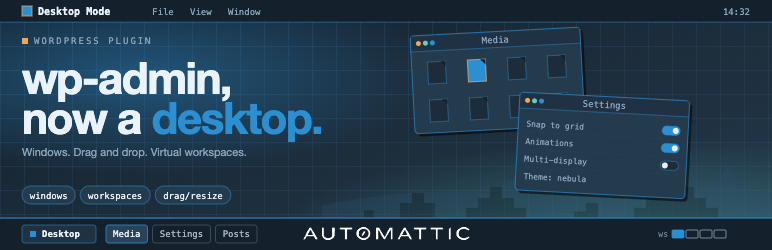
**Your WordPress admin, reimagined as a desktop.** Every admin screen opens as a
draggable, resizable window — edit a post, browse the Media Library, and moderate
comments side by side instead of one page at a time.
Desktop Mode is opt-in per user: one click in the admin bar switches you in, one
click switches you back. Nobody else on the site sees any change, and deactivating
the plugin restores the classic admin exactly. Zero Core patches — every feature
runs through public WordPress hooks.
Built and maintained by [Automattic](https://automattic.com), the company behind
WordPress.com, Jetpack, WooCommerce, and Tumblr.
#### A real desktop
* **Windows** — drag, resize, minimize, maximize, snap, tile. Every admin page
works, including plugin pages.
* **Dock & taskbar** — the admin menu becomes an icon dock; open windows live in
a macOS-style taskbar.
* **Virtual desktops (Spaces)** — one desktop for writing, another for the store,
another for moderation.
* **Files on the desktop** — drop posts, media, and links onto the wallpaper, organize
them into folders, trash them to a Recycle Bin.
* **Session restore** — reload the browser and every window comes back exactly
where you left it.
#### Make it yours
* **Wallpapers** — color presets, animated scenes, or your own image.
* **Widgets & desktop icons** — pin live widgets and shortcuts to the wallpaper;
plugins can register their own.
#### Superpowers
* **AI Assistant (optional)** — press Cmd+K and ask _“Which post had the comment
asking for the recipe?”_ It searches your own content. Requires an AI provider
configured in **Settings Connectors** (WordPress 7.0+); see “External services”
below.
* **Content Graph** — an interactive, zoomable map of how your posts, pages, and
products link together.
* **Cross-window drag & drop** — drag an image from the Media Library window straight
into the editor in another window.
* **Command palette** — the full WordPress command palette plus slash commands
from plugins, all under Cmd+K.
#### Built to be extended
Every significant behavior is hookable. Register windows, dock items, wallpapers,
widgets, desktop icons, commands, settings tabs, and AI tools from your own plugin—
stable `desktop_mode_register_*` PHP APIs, a typed JavaScript API, and copy-paste
examples in the [developer docs on GitHub](https://github.com/WordPress/desktop-mode/tree/trunk/docs).
#### External services
This plugin’s optional **AI Assistant** sends data to the **AI provider you configure
in WordPress’s Settings Connectors** (for example OpenAI, Anthropic, or Google).
Generation is routed through WordPress 7.0’s built-in AI Client, which supplies
the credentials stored in Connectors — the plugin never handles an API key itself.
With no provider configured in Connectors, no external AI requests are made.
When the AI Assistant is enabled and a user invokes it (via Cmd+K or the slash-command
palette):
* **What is sent:** the user’s prompt, the conversation history for the active
session, and tool-call metadata. The plugin’s built-in tools (`search_posts`,`
search_pages`, `search_comments`) run WordPress’s native keyword search and may
include excerpts of the matching posts/pages/comments in tool results, which
are then sent back to the provider as part of the agentic loop.
* **When it is sent:** on user-initiated AI requests, and (if an administrator
enables “Score new comments with AI”) on comment-save hooks for spam analysis.
Posts, pages, and taxonomy terms are not sent automatically.
* **Why it is sent:** to obtain model completions and tool-call decisions that
drive the AI Assistant.
* **Who provides the service:** whichever provider you configured in Settings
Connectors. Which provider (and endpoint) receives the data depends entirely
on that configuration — review the chosen provider’s own terms and privacy policy(
e.g. OpenAI, Anthropic, or Google).
No other external services are contacted by this plugin.
### Credits
Desktop Mode is brought to you by [Automattic](https://automattic.com). The plugin
is open source under GPLv2-or-later; contributions are welcome on [GitHub](https://github.com/WordPress/desktop-mode).
#### Third-party libraries
The plugin bundles the following third-party JavaScript library, loaded on demand
only when a feature that needs it is in use:
* **[PixiJS](https://pixijs.com/)** (MIT License) — used by the interactive **OS
Settings About** scene, the **Content Graph** window, and built-in canvas wallpapers(
e.g. the animated WordPress logo). PixiJS is loaded from the plugin’s own `assets/
vendor/` directory; no CDN requests are made.
## Screenshots
[⌊Real multitasking — Users, Media, and content editing open side by side as windows.⌉⌊
Real multitasking — Users, Media, and content editing open side by side as windows
.⌉[
Real multitasking — Users, Media, and content editing open side by side as windows.
[⌊Your admin, your desktop — custom wallpapers and live widgets registered by plugins.⌉⌊
Your admin, your desktop — custom wallpapers and live widgets registered by plugins
.⌉[
Your admin, your desktop — custom wallpapers and live widgets registered by plugins.
[⌊The AI Assistant (Cmd+K) answers questions about your own posts, pages, and comments.⌉⌊
The AI Assistant (Cmd+K) answers questions about your own posts, pages, and comments
.⌉[
The AI Assistant (Cmd+K) answers questions about your own posts, pages, and comments.
[⌊Content Graph — an interactive map of how your content links together.⌉⌊Content
Graph — an interactive map of how your content links together.⌉[
Content Graph — an interactive map of how your content links together.
[⌊OS Settings — pick a wallpaper preset, an animated scene, or upload your own image.⌉⌊
OS Settings — pick a wallpaper preset, an animated scene, or upload your own image
.⌉[
OS Settings — pick a wallpaper preset, an animated scene, or upload your own image.
[⌊Files on the desktop — drag posts, media, and links onto the wallpaper and into
folders.⌉⌊Files on the desktop — drag posts, media, and links onto the wallpaper
and into folders.⌉[
Files on the desktop — drag posts, media, and links onto the wallpaper and into
folders.
[⌊The Recycle Bin collects trashed posts, media, folders, and shortcuts in one window.⌉⌊
The Recycle Bin collects trashed posts, media, folders, and shortcuts in one window
.⌉[
The Recycle Bin collects trashed posts, media, folders, and shortcuts in one window.
## Installation
1. Upload the plugin folder to `/wp-content/plugins/`, or install via **Plugins Add
New Upload Plugin**.
2. Activate the plugin through the **Plugins** screen in WordPress.
3. Click the **desktop** icon in the admin bar’s top-right corner. The admin reloads
inside the desktop shell.
4. Click the same icon again at any time to return to the classic admin.
#### Optional: enable the AI Assistant
1. In **Settings Connectors**, set up an AI provider (OpenAI, Anthropic, or Google).
Requires WordPress 7.0+.
2. In desktop mode, open **OS Settings Features** and turn on **AI assistant** (it’s
off by default).
3. Press **Cmd+K** (or **Ctrl+K**) anywhere in desktop mode to open the AI assistant.
## FAQ
### Does this change anything for users who don’t opt in?
No. The classic admin is untouched until a user toggles desktop mode on for themselves.
Deactivating the plugin restores vanilla Core exactly.
### Does the plugin require an external service to function?
No. The desktop shell, windowing, dock, taskbar, virtual desktops, widgets, wallpapers,
and all extension APIs work entirely on-site. The AI Assistant is the only feature
that contacts an external service, and it stays inert until an administrator configures
an AI provider in Settings Connectors. See “External services” in the description.
### Does it patch WordPress core?
No. Every feature is wired through public WordPress actions and filters.
### How do I disable desktop mode for my user?
Click the desktop icon in the admin bar a second time to flip the toggle off. The
plugin can also be deactivated globally from the Plugins screen.
### Where is the developer documentation?
In `docs/` inside the plugin, and on [GitHub](https://github.com/WordPress/desktop-mode/tree/trunk/docs).
The hook reference, JavaScript reference, bridge protocol, and copy-paste examples
all live there.
## Reviews

### [One word… Wow!](https://wordpress.org/support/topic/one-word-wow-7/)
[MauroS](https://profiles.wordpress.org/maurosp91/) 4 Jun 2026
This plugin blowed my mind. It turns your wordpress admin in such a beautiful dashboard.
What an experience. Contratulations to the owners of the project!

### [Modern and creative admin experience](https://wordpress.org/support/topic/modern-and-creative-admin-experience/)
[Rami Obeidat](https://profiles.wordpress.org/obeidat/) 28 Mei 2026
Really interesting concept and one of the more unique WordPress admin experience
plugins I’ve tested recently. I especially like the desktop/workspace direction
and the overall creativity behind the UI. I spend a lot of time testing modern admin/
workspace plugins and Desktop Mode definitely stands out with its own approach.
Looking forward to seeing how the project evolves 👌

### [A total game-changer for the WordPress experience!](https://wordpress.org/support/topic/a-total-game-changer-for-the-wordpress-experience/)
[Abhishek Padhi](https://profiles.wordpress.org/abhishekpadhi/) 28 Mei 2026
This plugin is awesome! It runs perfectly smoothly and completely upgrades the default
dashboard experience. If you spend a lot of time in the WordPress backend, this
makes a world of difference. I’ve been using it on my website, Key2blogging, and
it has made managing everything so much cooler and easier. Highly recommended!

### [Homebase](https://wordpress.org/support/topic/home-base/)
[speff](https://profiles.wordpress.org/speff/) 26 Mei 2026 1 reply
This is a really neat idea. WP core’s been giving me similar vibes to Tiddlywiki
in its capability towards extensibility and this plugin solidifies that idea in
my mind. I’d be interested in having other providers available for use with quick
search – and even an option to fall back to the normal Ctrl+K behavior. But this
is a great enhancement of WP Admin for my personal use-case as-is and really makes
my personal site feel like home.

### [Interesting…](https://wordpress.org/support/topic/interesting-60/)
[karelv92](https://profiles.wordpress.org/karelv92/) 25 Mei 2026
Very interesting idea. It makes working in WP somewhat more productive…

### [Super interesting](https://wordpress.org/support/topic/super-interesting/)
[tickastudios](https://profiles.wordpress.org/tickastudios/) 24 Mei 2026 3 replies
It’s a cool project. Very much creative. I wouldn’t have ever thought about turning
WP admin into a desktop-like interface. How did you come up with it?
[ Read all 21 reviews ](https://wordpress.org/support/plugin/desktop-mode/reviews/)
## Contributors & Developers
“Desktop Mode” adalah perisian sumber terbuka. Orang-orang berikut telah menyumbang
kepada pemalam ini.
Penyumbang
* [ Daniel López Sánchez ](https://profiles.wordpress.org/allterraindeveloper/)
* [ Automattic ](https://profiles.wordpress.org/automattic/)
* [ Roberto Aranda ](https://profiles.wordpress.org/epeicher/)
* [ Miguel Torres ](https://profiles.wordpress.org/mmtr86/)
“Desktop Mode” telah diterjemahkan ke dalam 2 penempatan. Terima kasih kepada [para penterjemah](https://translate.wordpress.org/projects/wp-plugins/desktop-mode/contributors)
untuk terjemahan mereka.
[Translate “Desktop Mode” into your language.](https://translate.wordpress.org/projects/wp-plugins/desktop-mode)
### Berminat dalam pembangunan?
[Layari kod](https://plugins.trac.wordpress.org/browser/desktop-mode/), periksa
[repositori SVN](https://plugins.svn.wordpress.org/desktop-mode/), atau langgani
[log pembangunan](https://plugins.trac.wordpress.org/log/desktop-mode/) dengan [RSS](https://plugins.trac.wordpress.org/log/desktop-mode/?limit=100&mode=stop_on_copy&format=rss).
## Changelog
#### 0.9.5
* AI Copilot now uses WordPress 7.0 providers: configure a provider once in Settings
Connectors and the assistant uses it — no more per-plugin keys
* AI Copilot tools are now WordPress Abilities, so the assistant works across any
configured provider; plugin authors add their own tools with the Abilities API(`
desktop_mode_register_ai_tool()` was removed)
* Removed the OS Settings AI tab; the per-user “AI assistant” toggle now lives
in OS Settings Features next to “Score new comments with AI”
* Requires WordPress 7.0 for the AI assistant only; on older WordPress the assistant
is hidden and the rest of Desktop Mode is unaffected
* Stored AI keys are deleted from the database on upgrade
* Five new built-in widgets: Recent Comments, Post Stats, Site Views, Jazz Quote,
and Starter
* Widgets can now be resized, and docked widget heights persist across sessions
* Two new wallpapers, Living Tree and Snow, plus per-wallpaper settings dialogs
* Window links: windows showing related content are visually connected, with pluggable
link renderers for plugin authors
* Spring-loading: hovering a window while dragging anything brings it to the front
* New developer mode setting (OS Settings Features) unlocks developer-facing surfaces
* WordPress update notices now surface once in the desktop shell instead of repeating
in every window
* Desktop shortcuts stay in sync and core icons follow the spatial layout
* Extended options merged into the OS Settings Features tab
* Fixed selection bugs that could point destructive actions at the wrong files
* Closing a window with unsaved changes now warns instead of silently losing work
* Fixed windows and dock state leaking across virtual desktops
* Fixed Overview keyboard navigation and focus trapping
* The dock now refreshes live when a plugin registers a new post type
* Fixed dock icon alignment, “Add New” window titles and icons, and count-label
pluralization
#### 0.9.3
* Rewrite WordPress.org plugin page, leaner copy, video embed, screenshots
* Review: doc/comment accuracy, security hardening, and cleanups across the plugin
#### 0.9.2
* Persist welcome-dialog dismissal when Desktop Mode is disabled
* Welcome dialog reappears on every page when the admin is served from an origin
that differs from `site_url`
#### 0.9.1
* Make native list windows opt-in (Beta) instead of opt-out
* Scope AI to comment spam + native-search assistant
* Feat/unfocus window effects
* Fix placement, gear/Help, and dock⇄desktop visibility bugs
* Fix Guidelines-experiment 404 noise, duplicate welcome dialog, and unused-preload
warnings
* Add “View activity footprint” row action in Users list
#### 0.9.0
* Gate per-user REST routes on desktop mode enabled
* Refine recycle bin badge styling and sync on stop
* Clear comments selection after applying action
* Don’t let a failing sync block the agent
* Make the AI-disabled error link to AI Settings
#### 0.8.9
* Improve drag-and-drop handling in chromeless bridge and iframe bridge
* The whole shell loads faster, especially the first time you open wp-admin
* Open an app from the wallpaper or from the dock — it’s the same window now (no
more two copies floating around)
* Minimize a window and the dock icon shows it’s minimized — even if you opened
it from the desktop icon
* Click “+ New” twice and you get two editors. Drafting a post and want to start
another? Just click again
* “Switch to Desktop Mode” always takes you to the dashboard, so you know where
you’re starting from
* Resizing a window and accidentally letting go over the desktop no longer minimizes
everything
* WooCommerce: the “Add Order” button is back on the Orders page
* “Add New” buttons (Add Post, Add Order, Add anything) stay visible inside every
plugin page
* After we ship a fix, you get it on your next page load — no more “try refreshing
twice”
#### 0.8.8
* Align dock badge with in-window update count
* Make every dock scrollable, keep system tiles pinned
* No more flash when you create, move, or delete a file or shortcut on the desktop
* Trashing a folder that contained other folders now works (used to silently fail)
* Drag an image from the Media Library straight into a Gutenberg post, it now inserts
* Edit User screen: the form is centered instead of pinned to the left
* Title-bar icons (Help, etc.) are now visually centered
* Sticky notes powered by WP Guidelines
#### 0.8.7
* Bump Tested up to WordPress 7.0
* Fix plugins window stale-nonce ‘Cookie check failed’ on long-running sessions
* Fix plugin .zip drop routing to Media Library uploader
* Add server-side search to entity list views
* Rename Browse tab to Add Plugin
* Drag and drop improvements
#### 0.8.6
* Light indicators for native-window-target dock icons
* Additional fixes and polish
* Add compatibility layer for Divi script dependencies and tests
* Show plugin icons
* Open off-site menu items in a new browser tab
#### 0.8.6-rc1
* Tag cloud & category mindmap: search, clustering, server cache
* Drag & Drop from local desktop
* Implement loading skeletons and staggered animations for file tiles
* Arrow-key shortcuts + Overview-from-Show-Desktop fix
* Shortcuts popover, dock-style tooltips, reorder
* Add Featured Plugins View and Ribbon Component
* Add “Automatic Updates” column and related functionality to Plugins window
* Add window notices feature with persistent dismissal and server sync
* Polish four framework surfaces for plugin authors
* Disable focus on other window actions
* Add Media section to “My WordPress” + uniform preview-pane hook surface
* Refactor My WordPress to use `` + add post status ribbons
* Allow deactivating plugins in CMO desktop & dock
* OS-file drop — progress UI, live refresh, cancel cleanup, CMO
* Group-by selector + click-to-deselect + focused-icon centering
* Test against PHP 8.3 and 8.4
* Enhance minimize/restore behavior to preserve pre-minimize state and add cross-
state transition tests
#### 0.8.5
* Shared folders, heartbeat widget, and heartbeat-pipeline hardening
* Recycle Bin: show item type badges inline next to title
* Plugins window: expandable rows with rich plugin details
* Remember native window size across opens
* Fix blank plugin icons in the Plugins window
* Restore “Show desktop on wallpaper click” as an opt-in setting
* Fix plugin update refresh, dock badge, and stuck-row failures
* Trash bin polish: URL badge, live placement badge, no media auto-trash
* Throw on empty REST body to avoid TypeError after self-replace
* Hide Media filter tab when MEDIA_TRASH is off
* Sequence openCurrentPage after restoreSession to avoid duplicate windows
* Fix window refresh issue on new sessions
#### 0.8.4
* Faster Desktop Mode, main bundle cut by 59 %
* “Edit Post” from the front-end admin bar opens nothing
* Cross-page admin-link clicks: state, destructive actions, referer hint
* Warn loudly when a `` tag is used without being imported
* Support re-uploading existing plugins, add post-install Activate panel
* Restore the full WordPress command palette inside Cmd+K
#### 0.8.3
* Feat comments as native windows
* Chrome <111 titlebars + duplicate-placement REST 500s
* SW navigation interception caused window-in-window after core update
* Open each post as its own window from the Posts window
* Fix Users window data + live-refresh, plus per-window REST clients
* Session-expiry cascade + Plugins window sync
* Narrow scope to /wp-admin/ and throttle SW reloads
* Plugins window: real updates, not just a phantom badge
* Support plain permalinks for REST URL construction
* Hide registered icons from desktop instead of trashing
#### 0.8.2
* Many fixes and new features
* Add unit test to ensure bridge script skips core AJAX update buttons
* Native Plugins window + ``
* Appearance window polish + dock-peek fixes
* Fix upload theme
* Implement favicon resolver and associated tests for desktop mode
* Auto-inject X-WP-Nonce for REST API requests
* Enhance user management functionality in WordPress REST API
* Fix user role updates
* Fix plugin native issues
* Enhance color scheme preview functionality by adding shell scheme flipping
* Fix rearrange icons out of desktop
* Open each post in its own window
* Add item visibility and dock order settings
* Add first-run welcome dialog for Desktop Mode
* Fix dock management
* Refetch desktop placements on Recycle Bin restore
#### 0.8.1
* Framework rework and stability improvements — significant internals refactor,
smoother window lifecycle, and more reliable bridging between iframe and native
windows.
* Drag and drop reworked end-to-end: calmer pointer behavior, more accurate hit-
testing, and reliable handoff across windows.
* Posts, Pages, and Users now open as native desktop windows — direct DOM rendering
inside the shell instead of an iframe, faster open, instant interaction, and
UI tailored to the windowing model.
* New Content Graph tool — an interactive map of how your content links together.
Pan, zoom, and focus a node to explore its neighborhood.
* Cross-page admin link routing in the chromeless bridge so links across the admin
stay inside the desktop shell.
* Many bug fixes across the admin bar, Fullscreen toggle, resize handles over iframes,
real-time icon refresh on plugin activation, and the PWA shell.
#### 0.5.1
* Code editor and framework improvements.
* Enhanced AI provider integration: third-party providers may register through `
desktop_mode_register_ai_provider()`.
* Title-bar button registry with icon painting for plugin authors.
* OS Settings tabs are now extensible via `desktop_mode_register_settings_tab_script()`/`
desktop_mode_register_settings_tab()`.
* AI Copilot extensibility: server-side tool registry (`desktop_mode_register_ai_tool()`)
and client-side `wp.desktop.ai.ask()` programmatic entry point.
* UI component kit expansion (~25 `` web components).
* Backtick hotkey to cycle window focus.
* Unified command palettes via the palette registry.
* OS Settings Help tab.
#### 0.5.0
* Command registration APIs (`desktop_mode_register_command_script()` / `desktop_mode_register_command()`)
with live install/activate refresh.
* Media-library enhancement enabled by default, with opt-out.
* Dock CSS selectors updated; overflow handling improved.
See the [GitHub releases page](https://github.com/WordPress/desktop-mode/releases)
for the full history.
## Meta
* Version **0.9.5**
* Last updated **1 hari lalu**
* Active installations **2,000+**
* WordPress version ** 6.0 or higher **
* Tested up to **7.0.1**
* PHP version ** 7.4 or higher **
* Languages
* [English (US)](https://wordpress.org/plugins/desktop-mode/), [Russian](https://ru.wordpress.org/plugins/desktop-mode/),
dan [Turkish](https://tr.wordpress.org/plugins/desktop-mode/).
* [Terjemahkan kepada bahasa anda](https://translate.wordpress.org/projects/wp-plugins/desktop-mode)
* Tags
* [admin](https://ms.wordpress.org/plugins/tags/admin/)[AI](https://ms.wordpress.org/plugins/tags/ai/)
[dashboard](https://ms.wordpress.org/plugins/tags/dashboard/)[desktop](https://ms.wordpress.org/plugins/tags/desktop/)
[productivity](https://ms.wordpress.org/plugins/tags/productivity/)
* [Paparan Lanjutan](https://ms.wordpress.org/plugins/desktop-mode/advanced/)
## Ratings
5 out of 5 stars.
* [ 20 5-star reviews ](https://wordpress.org/support/plugin/desktop-mode/reviews/?filter=5)
* [ 1 4-star review ](https://wordpress.org/support/plugin/desktop-mode/reviews/?filter=4)
* [ 0 3-star reviews ](https://wordpress.org/support/plugin/desktop-mode/reviews/?filter=3)
* [ 0 2-star reviews ](https://wordpress.org/support/plugin/desktop-mode/reviews/?filter=2)
* [ 0 1-star reviews ](https://wordpress.org/support/plugin/desktop-mode/reviews/?filter=1)
[Your review](https://wordpress.org/support/plugin/desktop-mode/reviews/#new-post)
[See all reviews](https://wordpress.org/support/plugin/desktop-mode/reviews/)
## Penyumbang
* [ Daniel López Sánchez ](https://profiles.wordpress.org/allterraindeveloper/)
* [ Automattic ](https://profiles.wordpress.org/automattic/)
* [ Roberto Aranda ](https://profiles.wordpress.org/epeicher/)
* [ Miguel Torres ](https://profiles.wordpress.org/mmtr86/)
## Support
Isu yang diselesaikan dalam tempoh dua bulan lepas:
5 daripada 6
[View support forum](https://wordpress.org/support/plugin/desktop-mode/)