
Description
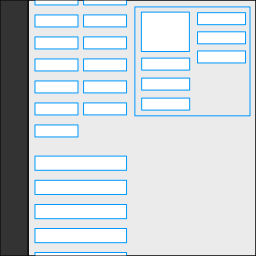
This plugin fixes the widget areas on WordPress widgets page on the admin backend so they always remain in view when scrolling up/down.
It will greatly reduce the time and effort in having to hold widgets and drag a long distance up and down.
Set to work from 481px and above i.e., only when the widget areas appear on the right side, in a column.
If you do not wish to use the plugin and want to temporarily achieve the same sticky widgets, bring up your browser’s dev tools and add this CSS to the widgets page:
@media only screen and (min-width: 481px) {

    .widget-liquid-right {
        position: -webkit-sticky;
        position: sticky;
        top: 42px;
    }

}
Automatic Installation
Search for Admin Sticky Widget Areas from within your WordPress plugins Add New page and install.
Manual Installation
- Click on the
Downloadbutton to download the plugin. - Upload the entire
admin-sticky-widget-areasfolder to the/wp-content/plugins/directory. - Activate the plugin through the
Pluginsmenu in WordPress.
Screenshots

Reviews


Contributors & Developers
“Admin Sticky Widget Areas” adalah perisian sumber terbuka. Orang-orang berikut telah menyumbang kepada pemalam ini.
Penyumbang
“Admin Sticky Widget Areas” telah diterjemahkan ke dalam 4 penempatan. Terima kasih kepada para penterjemah untuk terjemahan mereka.
Translate “Admin Sticky Widget Areas” into your language.
Berminat dalam pembangunan?
Layari kod, periksa repositori SVN, atau langgani log pembangunan dengan RSS.
Changelog
1.0.0
Initial Release.