

Description
PCIO VIS Gallery is an extension for the PCIO VIS Member Event plugin. It adds event-linked photo galleries. Galleries store images as standard WordPress Media Library attachments and can be embedded with the [pcio_me_gallery id="N"] shortcode or browsed at /vis/galleries/.
This plugin requires the PCIO VIS Member Event core plugin to be installed and active.
Screenshots
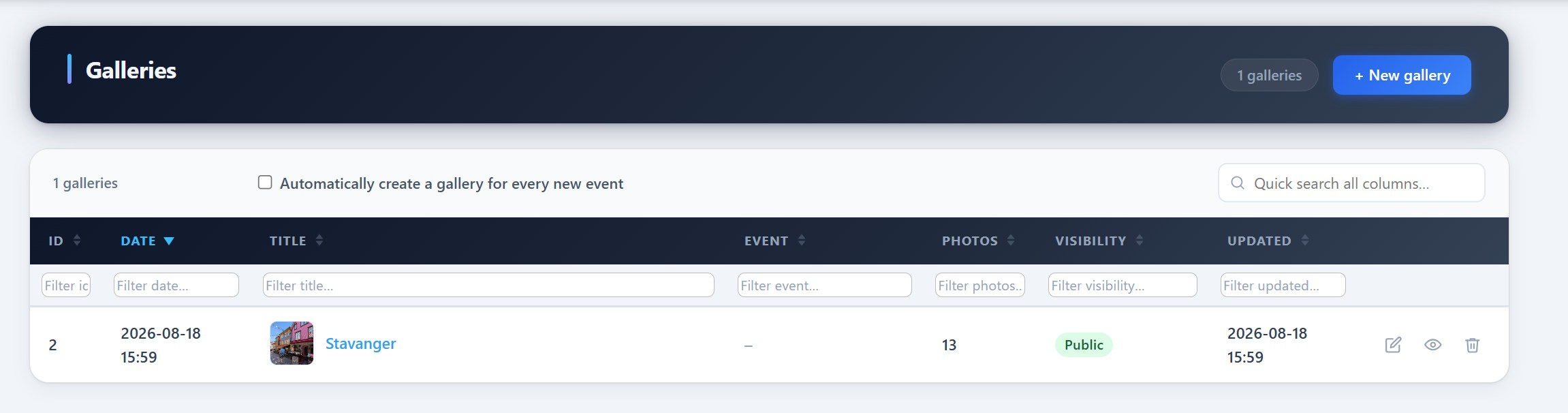
Installation
- Install and activate the PCIO VIS Member Event core plugin first.
- Upload the
pcio-vis-gallerydirectory to/wp-content/plugins/. - Activate the plugin in Plugins in the WordPress admin.
- Create galleries under the Vis admin menu and embed them with
[pcio_me_gallery id="N"].
FAQ
-
Where are the images stored?
-
As standard WordPress Media Library attachments.
-
How do I show a gallery on a page?
-
Use the
[pcio_me_gallery id="N"]shortcode, or browse all galleries at/vis/galleries/.
Reviews
There are no reviews for this plugin.
Contributors & Developers
“PCIO VIS Gallery” adalah perisian sumber terbuka. Orang-orang berikut telah menyumbang kepada pemalam ini.
Penyumbang
“PCIO VIS Gallery” telah diterjemahkan ke dalam 1 penempatan. Terima kasih kepada para penterjemah untuk terjemahan mereka.
Translate “PCIO VIS Gallery” into your language.
Berminat dalam pembangunan?
Layari kod, periksa repositori SVN, atau langgani log pembangunan dengan RSS.
Changelog
1.0.0
- Initial release.