

Description
Sajeebit School Attendance helps schools manage students, classes, sections, and daily attendance directly from the WordPress dashboard.
It is a self-contained free plugin. Attendance data stays in your WordPress database. The free version does not require Firebase, SMS gateways, WhatsApp APIs, biometric hardware, or other paid external services.
Official website: https://sajeebit-school-attendance.sajeebit.com/
Features
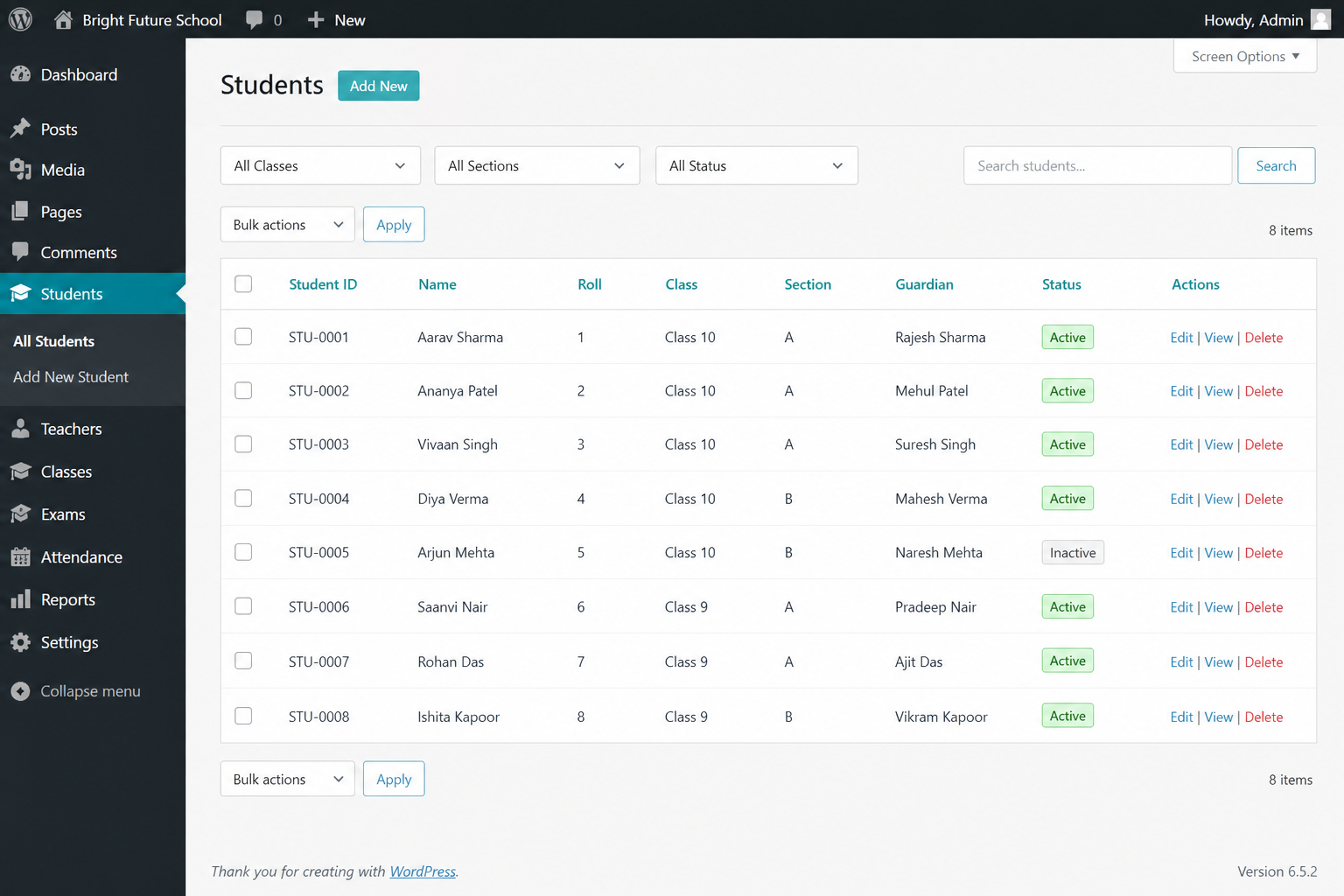
- Student management (ID, name, roll, class, section, guardian, status)
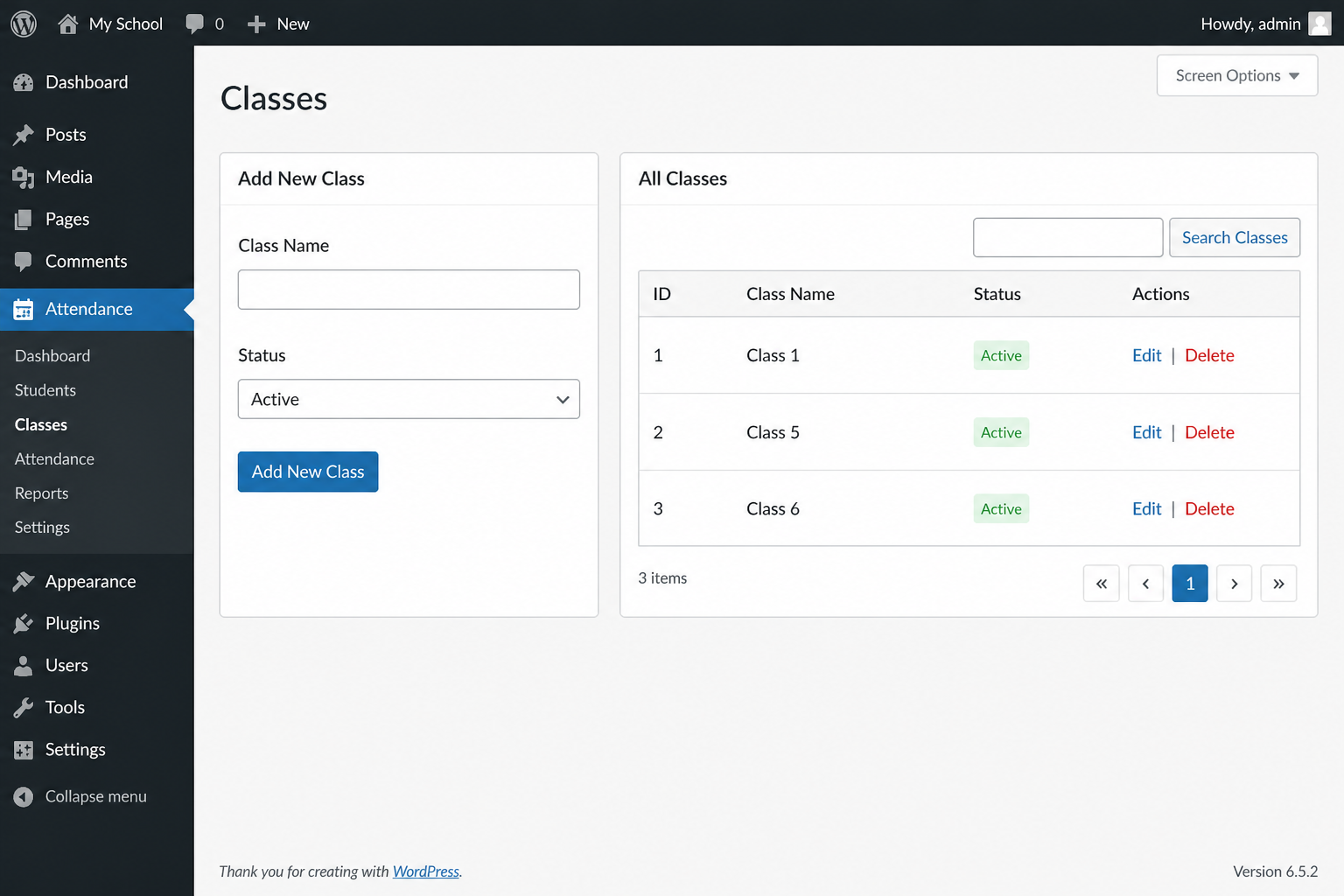
- Class management
- Section management
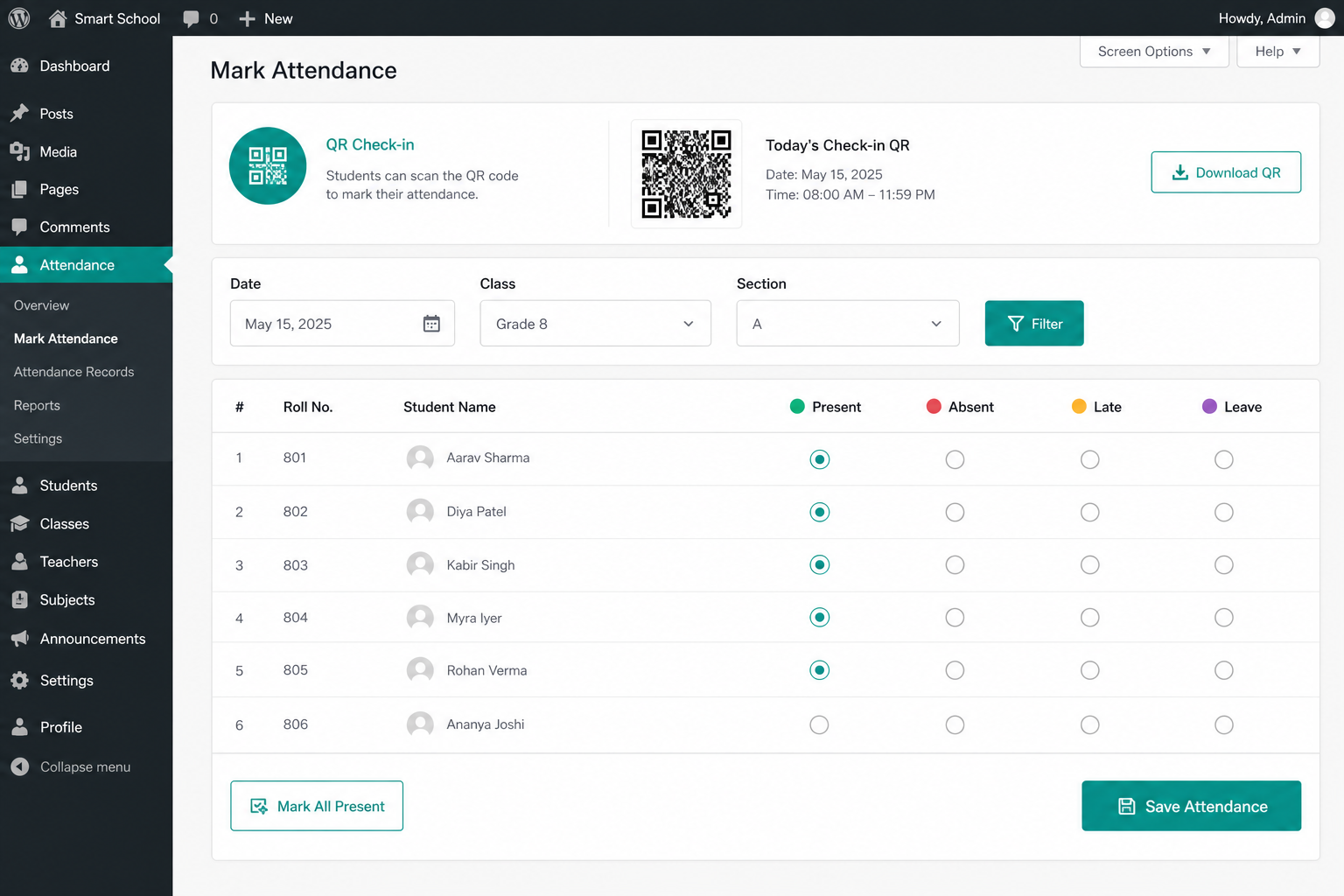
- Daily attendance with present, absent, late, and leave statuses
- QR code per student for attendance check-in
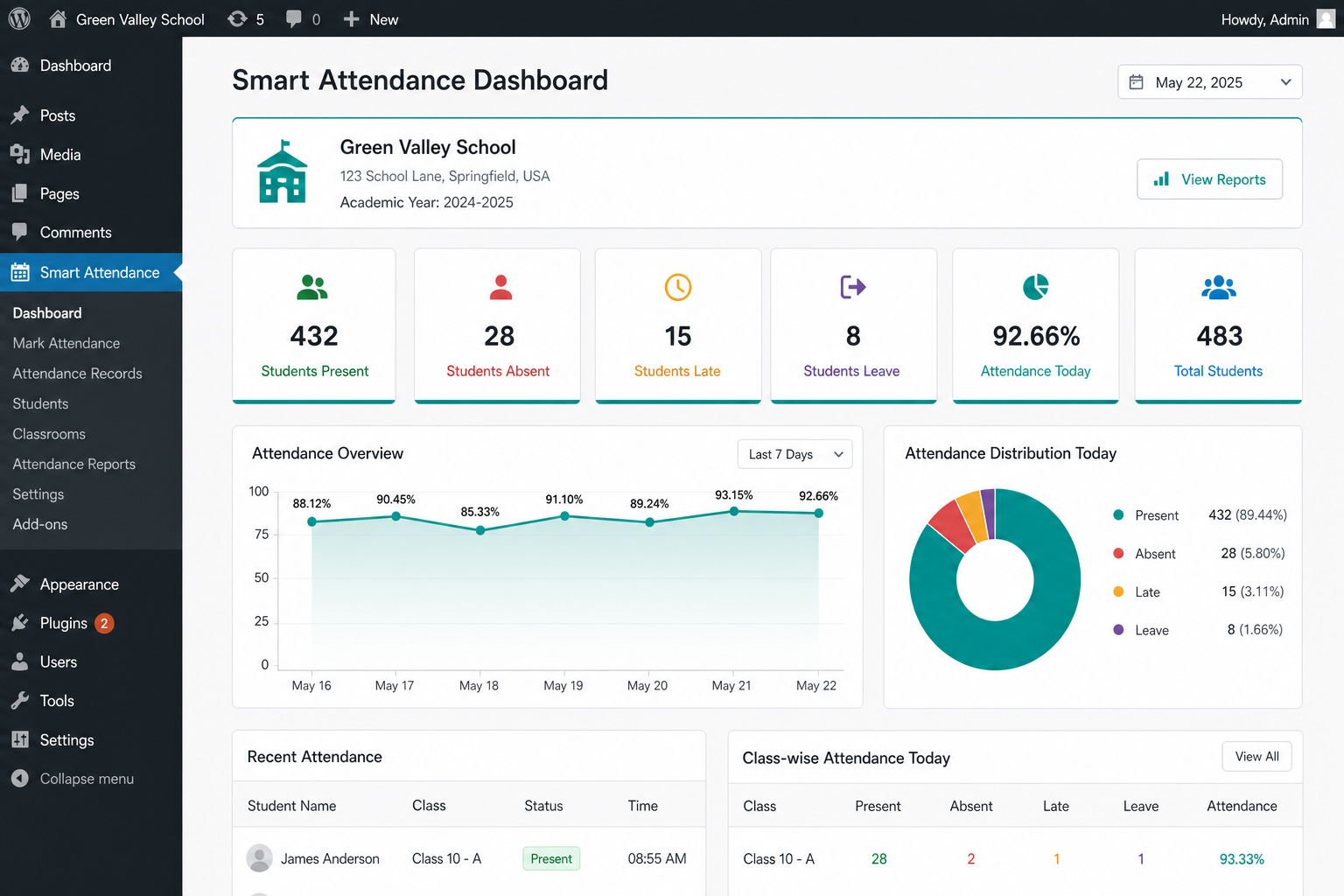
- Dashboard statistics and charts
- Attendance history per student
- Monthly reports and attendance percentage
- Search and filtering
- CSV export
- Settings for school profile, attendance rules, and uninstall data option
Documentation
Full documentation with screenshots: https://sajeebit-school-attendance.sajeebit.com/docs.html
Quick start:
- Activate the plugin.
- Create classes, then sections.
- Add students.
- Open Attendance, select date/class, and save — or use QR Check-in.
- Review Reports and export CSV when needed.
Privacy
- No remote tracking
- No analytics injection
- No phoning home
- Optional data deletion on uninstall (disabled by default)
Screenshots
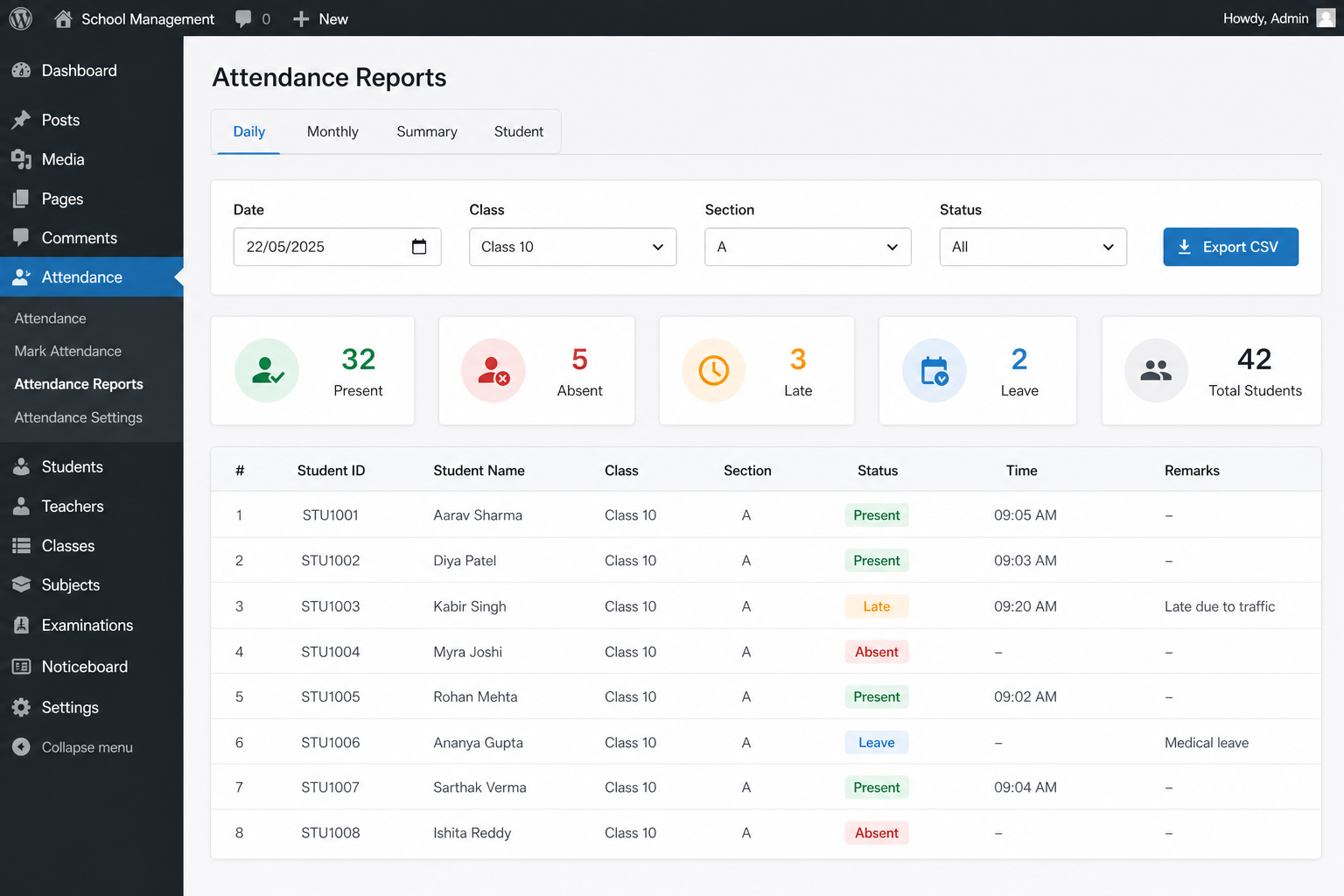
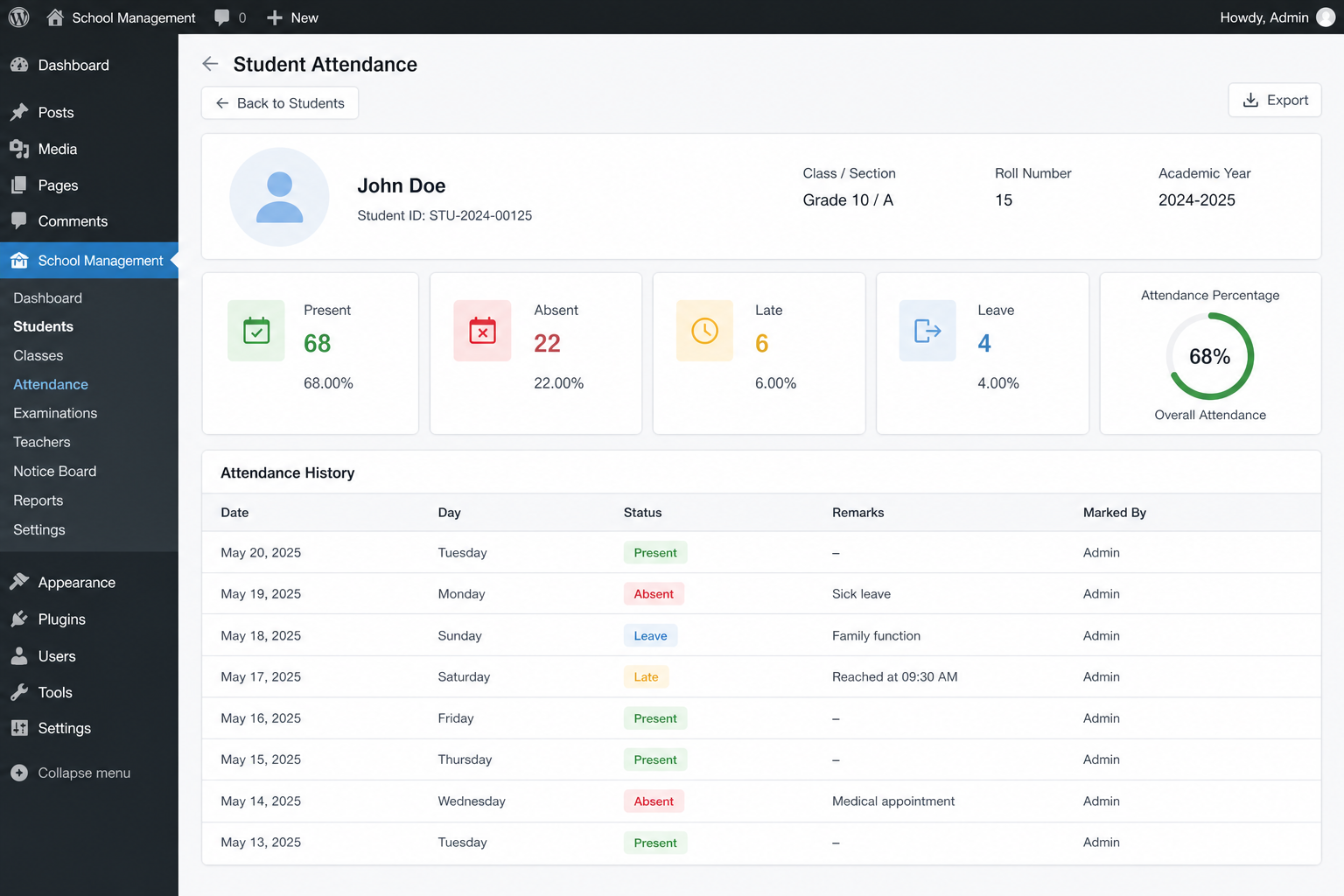
Installation
- Install Sajeebit School Attendance from the WordPress plugin directory, or upload the plugin ZIP via Plugins Add New Upload Plugin.
- Activate the plugin through the Plugins screen.
- Open Sajeebit Attendance from the WordPress admin menu.
- Create your classes.
- Create sections.
- Add students.
- Start recording attendance (manual grid or QR check-in).
More detail: https://sajeebit-school-attendance.sajeebit.com/docs.html
FAQ
-
Where can I find documentation and screenshots?
-
Visit https://sajeebit-school-attendance.sajeebit.com/docs.html
-
Can I manage multiple classes?
-
Yes. You can create multiple classes and sections.
-
Can I record absent students?
-
Yes. The plugin supports present, absent, late, and leave statuses.
-
Does the plugin require an external service?
-
No. The free version works directly inside WordPress.
-
Does it support QR attendance?
-
Yes. Each student receives a signed QR code. On the Attendance screen, use QR Check-in with a USB scanner or by pasting the code.
-
Does it support biometric devices?
-
The free version provides manual and QR attendance management. Biometric integrations (for example ZKTeco or Suprema) may be provided separately in future extensions.
-
What happens to my data if I uninstall the plugin?
-
By default, plugin data is kept on uninstall. You can enable “Delete all data on uninstall” in Settings Privacy if you want tables and settings removed.
-
How is attendance percentage calculated?
-
Attendance % = Present days / Working days × 100. Working days are the distinct dates that have attendance records for that student in the selected period.
Reviews
There are no reviews for this plugin.
Contributors & Developers
“Sajeebit School Attendance” adalah perisian sumber terbuka. Orang-orang berikut telah menyumbang kepada pemalam ini.
Penyumbang
Translate “Sajeebit School Attendance” into your language.
Berminat dalam pembangunan?
Layari kod, periksa repositori SVN, atau langgani log pembangunan dengan RSS.
Changelog
1.0.0
- Initial release: students, classes, sections, attendance, QR check-in, reports, CSV export, dashboard charts, and settings.